Life Sciences Cloud Compliance Suite supports the generation of configuration reports in different formats, via the Configuration evidence report function.
Steps
To configure a data validation project in the Data validation checklist:
Go to Life Sciences Cloud Compliance Suite > Configuration management > Configuration evidence report.
Specify information in the following fields:
Project name: The name of the project defined in the Data validation checklist workspace that users want to export.
Language: The language of the fields’ labels exported by the system.
File name: The name of the output file.
File format: The format of the output file (for example, PDF, Word, Microsoft Excel, CSV, HTML4.0 etc.).
Additional parameters
The Life Sciences Cloud Compliance Suite offers additional parameters for fine-tuning the export process:
Exclude system fields: Allows users to exclude system fields from the exported files.
Configuration evidence document
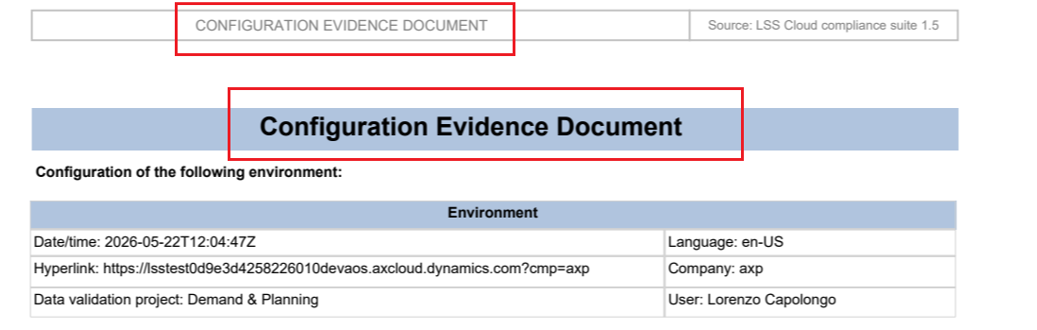
The generated report is the Configuration Evidence Document and documents the entire environment configuration in a human-friendly and easy-to-store file. The following information is available in the report:
Date and time of the export process.
The user that performs the export activity.
Language of the tables and field labels exported.
Name of the data validation project configured for the export.
Hyperlink to the exported environment in Microsoft Dynamics 365 Finance & Supply Chain Management.
Name of the company exported.
Tables and fields labels and values in the selected language.