Administrators can review the import history to monitor file processing and identify any issues that occur before data reaches the PLM staging journal.
Steps
Go to Modules > Engineering Change Management > Setup > PLM Integration > PLM Systems.
Select the appropriate PLM system and click Message.
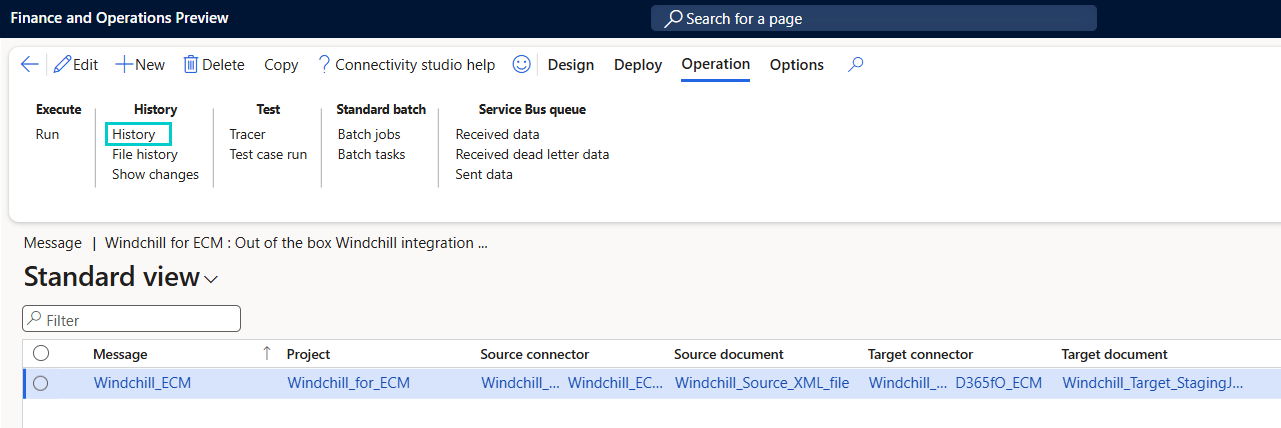
Under the Operation tab, open the History sub-tab and select History.
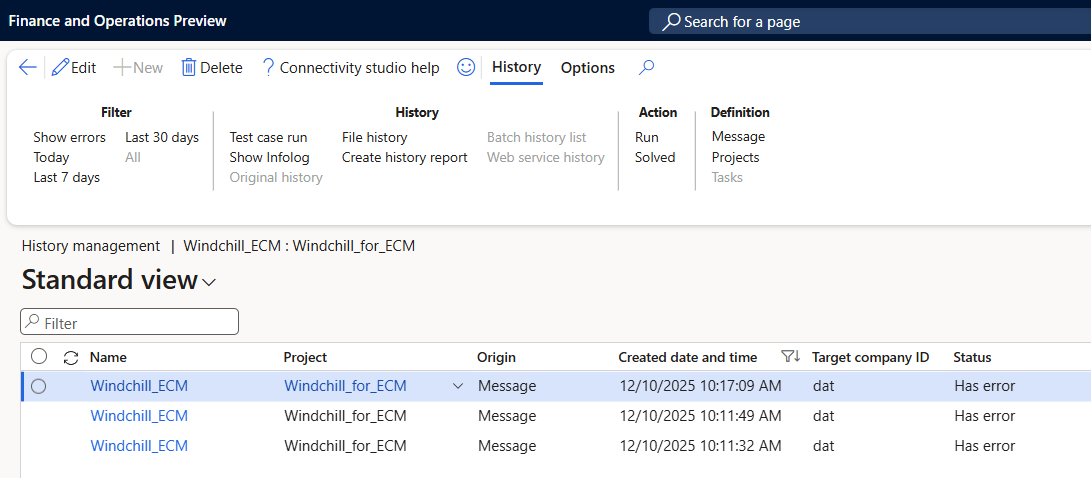
The Message History form lists all files processed by the integration:
Status indicates Finished (successful) or Error (failed import).
Records with error displays the number of records that failed.
If an error is reported:
Use Show Infolog on the ribbon to display detailed error information.
Select File History to open a detailed view of the file-level processing status.