This execution outlines the process flow for cleaning up staging journals.
Steps
Go to Engineering change management > Periodic > PLM integration > Clean staging journal.
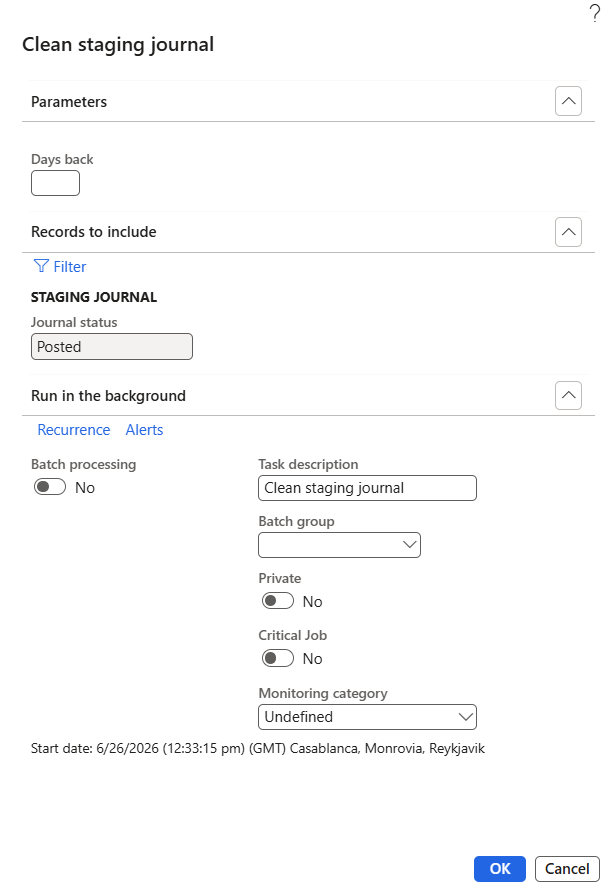
In the Parameters section, enter a value for Days back (optional).
Example: Enter 30 to delete journals older than 30 days.
Expand Records to include and click Filter (optional) to define journal selection criteria such as scenario, journal ID, or date.
Verify that Journal status is displayed as Posted.
Expand Run in the background section, if you want to schedule the job.
Enable Batch processing to run the job automatically.
Configure Recurrence for periodic execution.
Use Alerts to receive completion notifications.
Click OK to start the cleanup process.
The system deletes all journals meeting the defined criteria and a completion message appears, once the cleanup is successful.