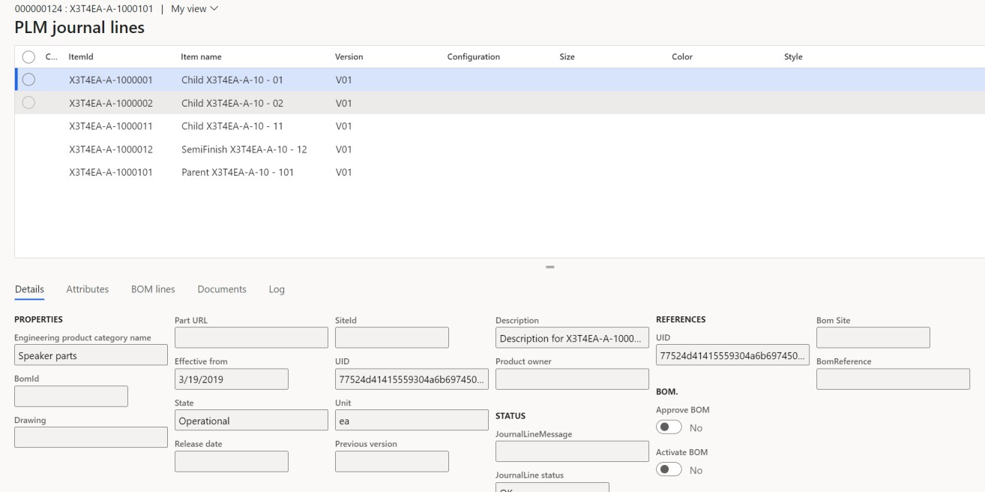
The PLM Staging Journal stores all data imported from the PLM system before it is posted to D365 F&SCM. It acts as an intermediate validation layer to verify content and resolve issues.
Go to Modules > Engineering Change Management > Periodic > PLM Integration > Staging Journal.
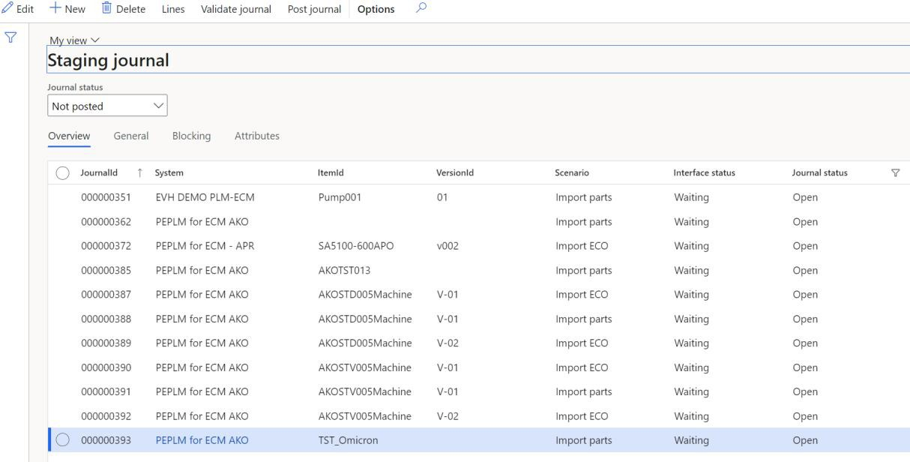
Usage
The list displays all PLM staging journals across all legal entities.
Use the Journal status filter to view Open, Posted, Not posted or Error journals.
Click Validate journal to let the system check data integrity before posting.
Select lines to open the PLM Journal Lines form.
PLM Journal lines
The upper pane lists products and subcomponents included in the imported structure. The lower pane shows detailed properties, attributes, BOM lines, and attached documents for each product record. Attribute values can be up to 1,999 characters.