You can specify the file location of the export folder. Siemens Teamcenter T4EA uses this folder to store XML files generated during export. Microsoft Dynamics 365 Finance & Operations periodically picks up these files to create PLM staging journals.
Steps
Identify the export folder location that you agreed on for this integration.
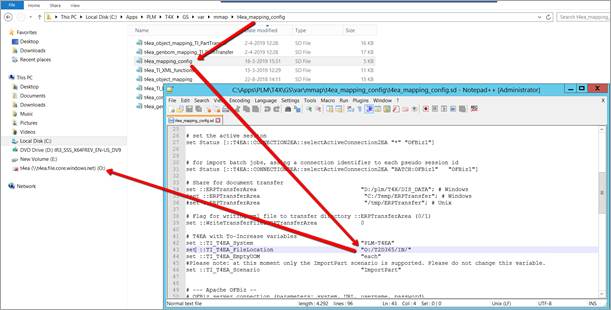
Configure the export folder path in the T4EA mapping configuration file: [GSRoot]\var\mmap\t4ea_mapping_config\t4ea_mapping_config.sd
Specify the export directory path. Example: O:\T2D365\In
Ensure the Teamcenter application server has full access to the mapped drive.