After creating a project, deploy a base model to start building your AI solution. Azure AI Foundry supports multiple pre-trained models such as GPT-4o that you can customize and integrate with other applications.
A deployed base model provides an endpoint and key that enable external systems, such as PLM, to communicate with Azure AI Foundry for real-time data analysis.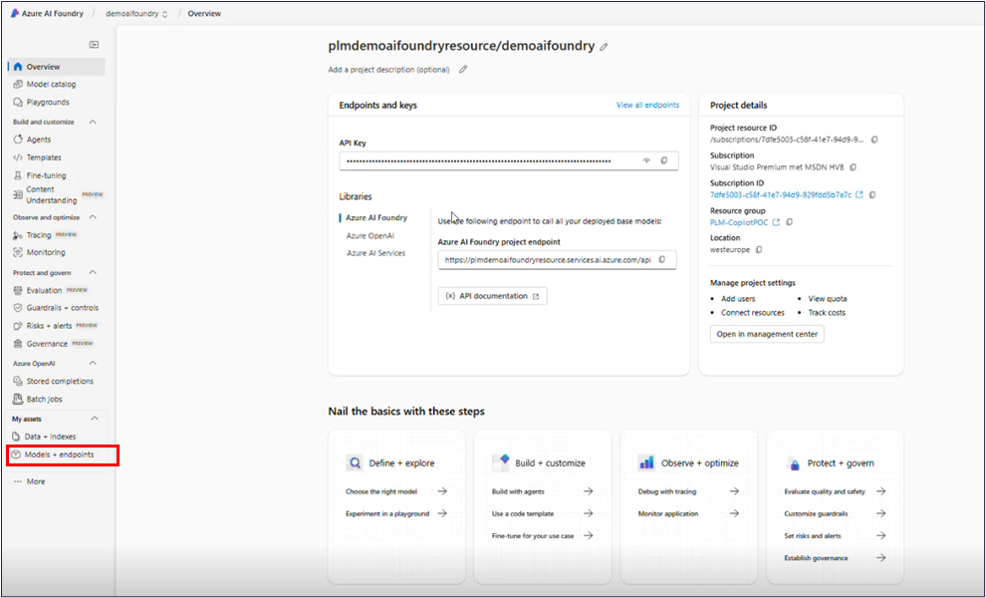
Steps
From the left menu, select Model + endpoints under My assets. You will go to the Model deployements page.
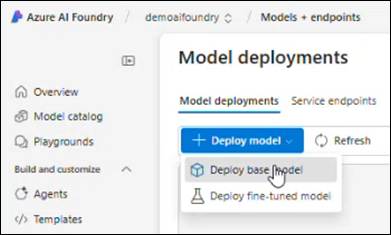
Click + Deploy model, and select Deploy base model. A Select a model window opens.
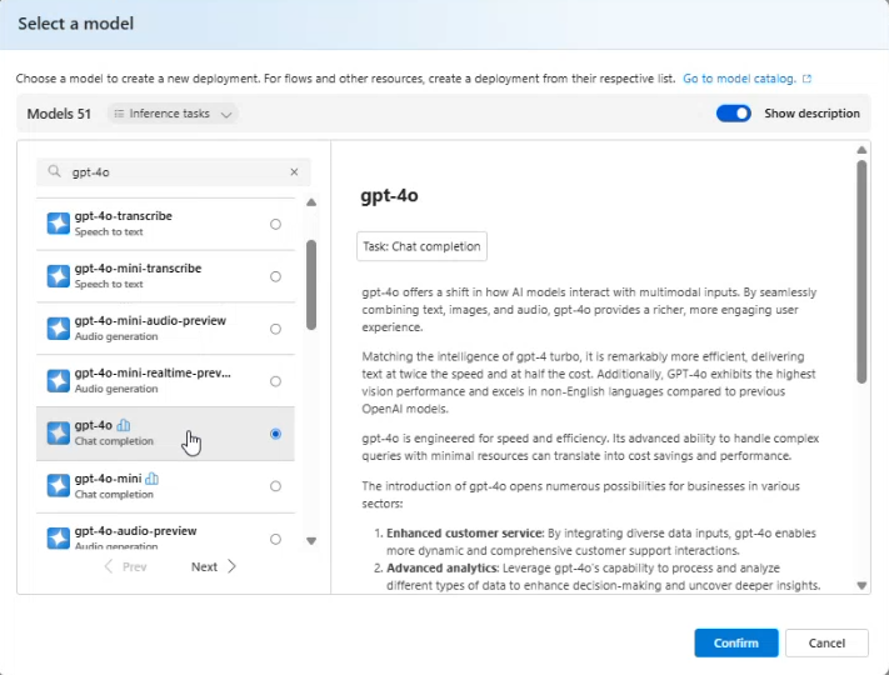
In the Select a model window, choose a model from the list.
Note
Your content goes here The GPT-4o model is recommended for better accuracy.
Click Confirm. The model page opens and displays the Endpoint section, which contains the Target URL and Authentication Key.
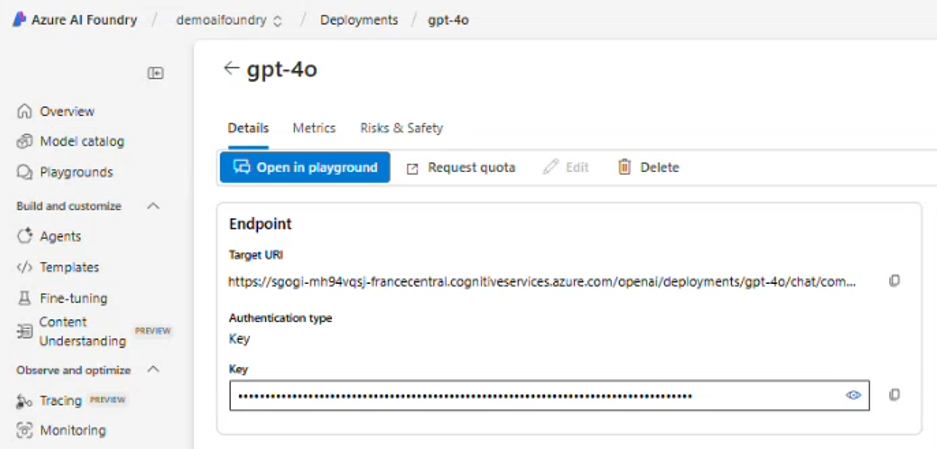
Copy the Target URL and Key for Integration.
Note
Add the copied details in Configure PLM integration parameters.
Add the copied Tagret URL in the Endpoint field.
Add the Key in the API Key field.