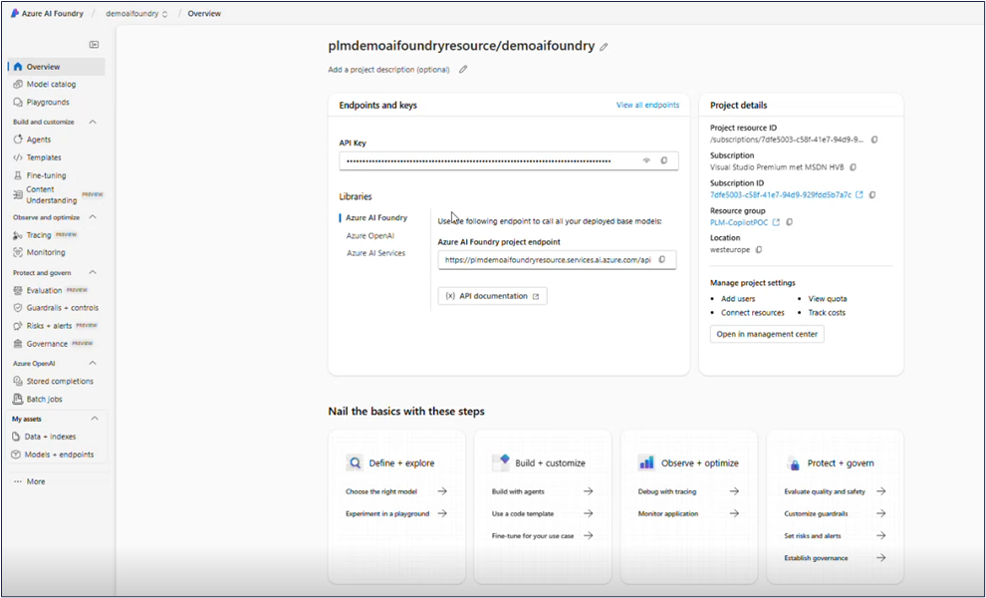
In Azure AI Foundry, every AI solution begins as a project. A project provides a dedicated workspace to manage datasets, models, and endpoints.
Note
To create a project in Azure AI Foundry, you must be granted the following permissions:
Microsoft.CognitiveServices/accounts/writeMicrosoft.CognitiveServices/accounts/projects/write
For more information, refer to Create a project for Microsoft Foundry.
Steps
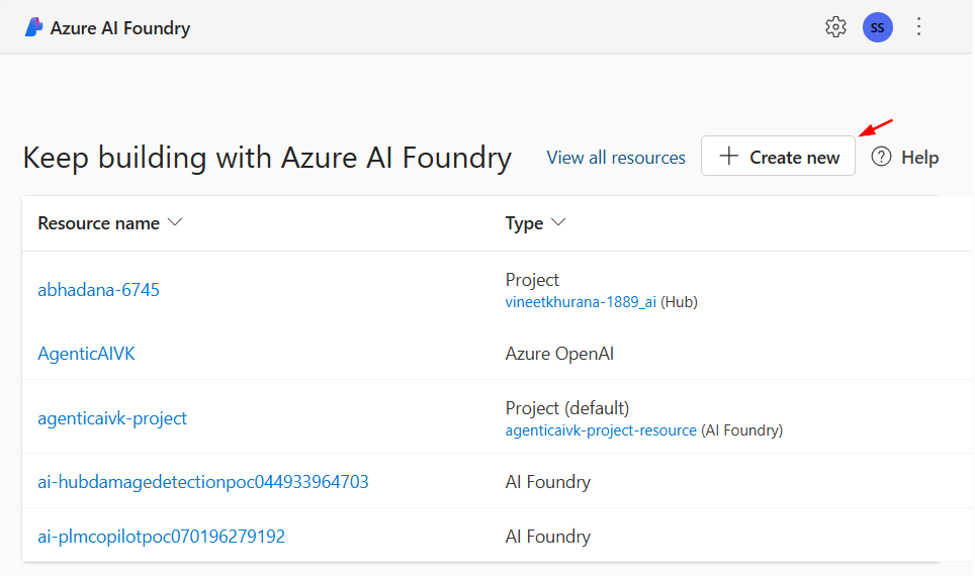
On the Azure AI Foundry home page, click Create new. A Create project window appears.
Select Azure AI Foundry resource as the resource type. The Next button becomes active.
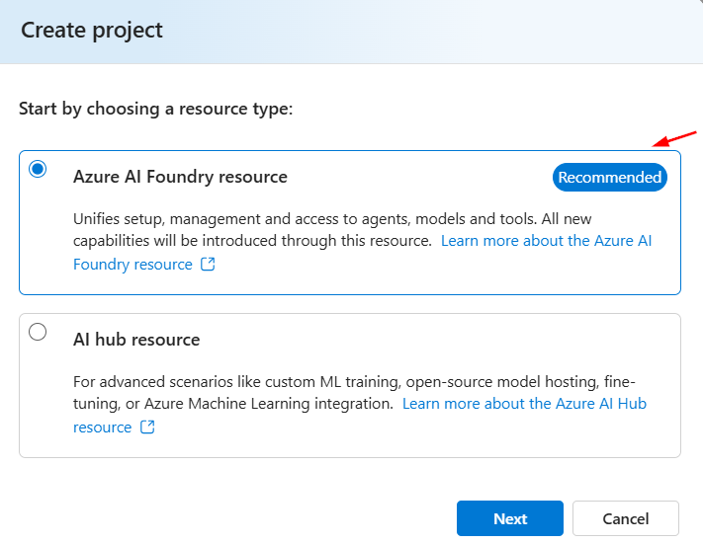
Click Next. A Create a project window opens.
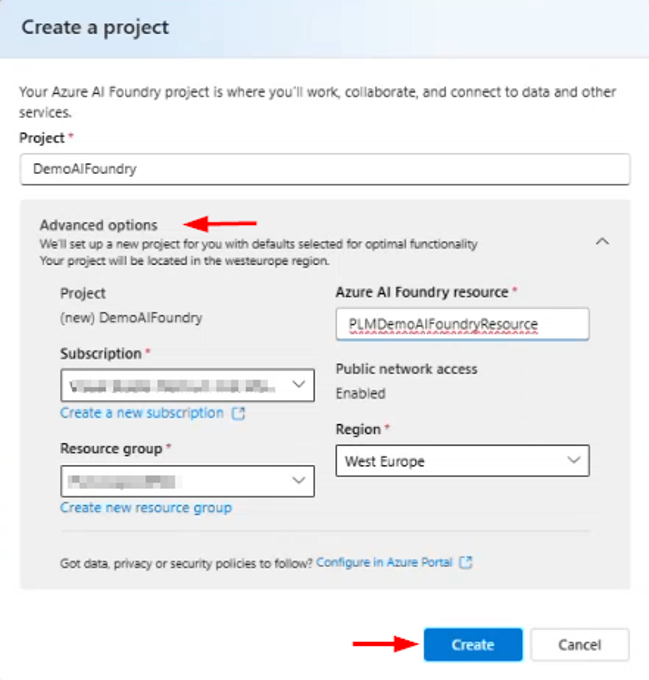
Enter a unique Project name.
Note
The project name must be 3-33 characters long, start with a letter or number, and cannot contain spaces.
Click Advanced options, and enter the following details:
Azure AI Foundry resource: Enter a unique name (2–64 characters). Only alphanumeric characters and hyphens (-) are allowed. The name cannot start or end with a hyphen.
Subscription: Select the appropriate Azure subscription.
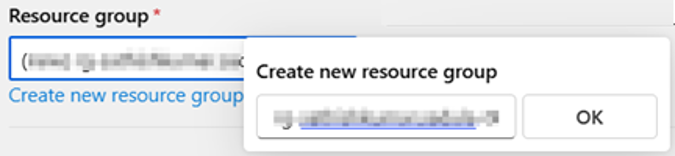
Resource group: Select an existing resource group or create a new one. You can create a new resource group by clicking on Create new resource group, enter the resource group name and click OK.
Region: Choose a suitable region.
Note
Choose a region that aligns with your organization’s compliance and performance requirements.
Click Create. Azure AI Foundry sets up your environment in the background and opens the new project dashboard.