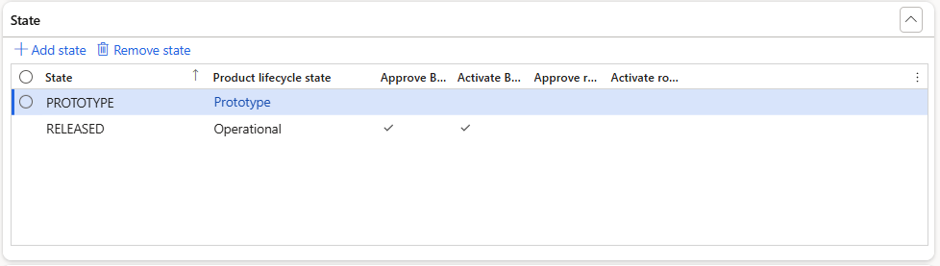
Use this section to map PLM states to correspond product lifecycle states in D365 F&SCM and define approval behaviour for BOMs and routes.
Field | Purpose |
|---|---|
State | Specifies the state received from the PLM system. |
Product lifecycle state | Specifies the matching lifecycle state in D365 F&SCM. |
Approve BOM | Automatically approve BOMs for products in this state unless overridden by XML data. |
Activate BOM version | Automatically activate BOM versions for products in this state unless overridden by XML data. Recommended to let PLM determine which BOM to activate when multiple BOMs exist. |
Approve route | Automatically approve routes for products in this state unless overridden by XML data. |
Activate route version | Automatically activate route versions for products in this state unless overridden by XML data. Recommended to let PLM determine which route to activate when multiple routes exist. |