Before you send data to a distribution target, make sure the part has the applicable distribution target. A distribution target combines a location and formatting rules used to send PTC Windchill data. D365 F&SCM takes the PTC Windchill data from this location for further processing in D365 F&SCM.
You can associate a distribution target with an item. This lets you use the distribution target to send the item's data to external systems.
Note
The steps and user interface can differ in your PTC Windchill version. This topic describes the manual procedure. For other ways to associate distribution targets to parts, consult your PTC Windchill partner.
Steps
Log in to PTC Windchill.
Browse to the part you want to send to D365 F&SCM.
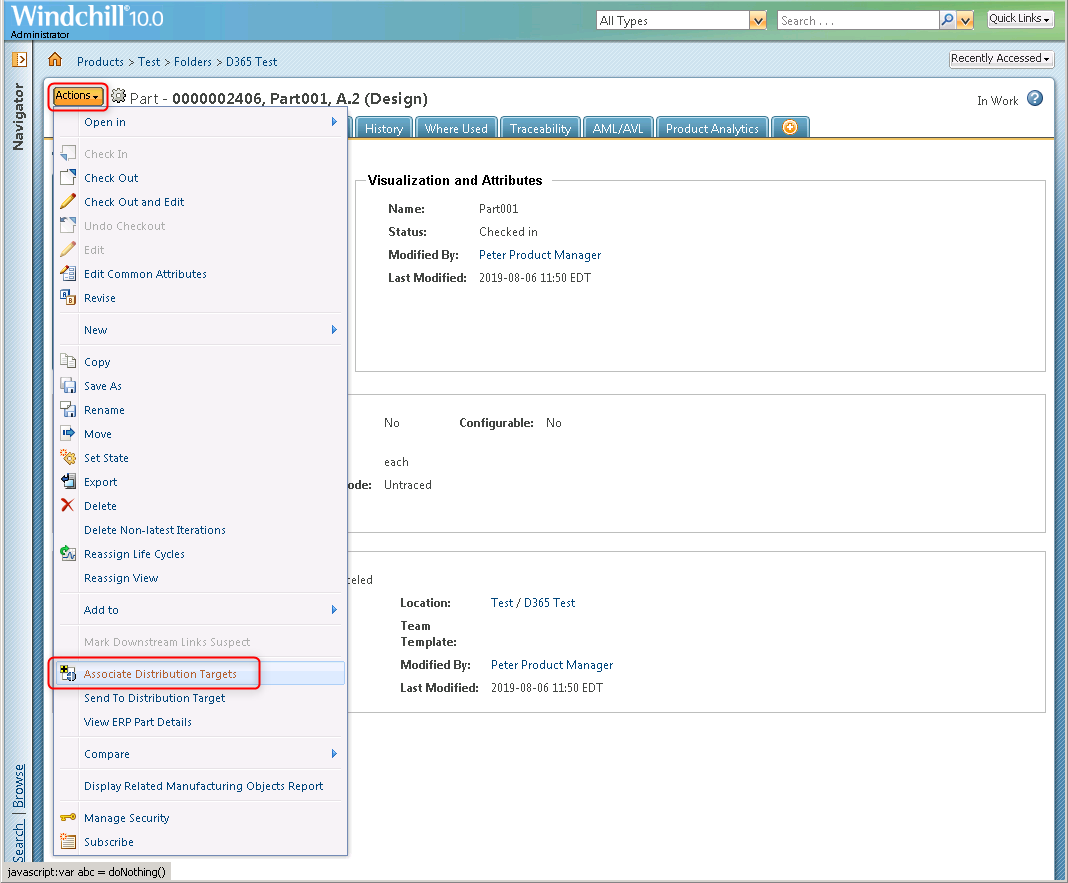
Click Actions >click Associate Distribution Targets.
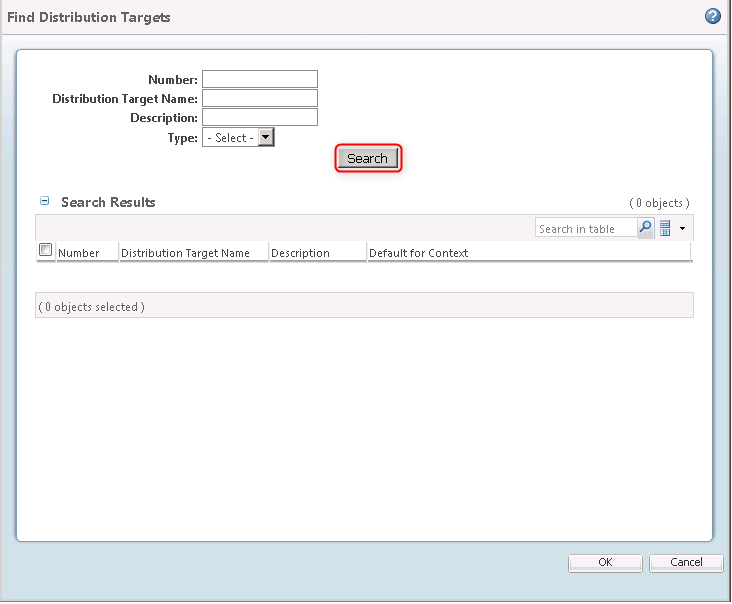
Click Search.
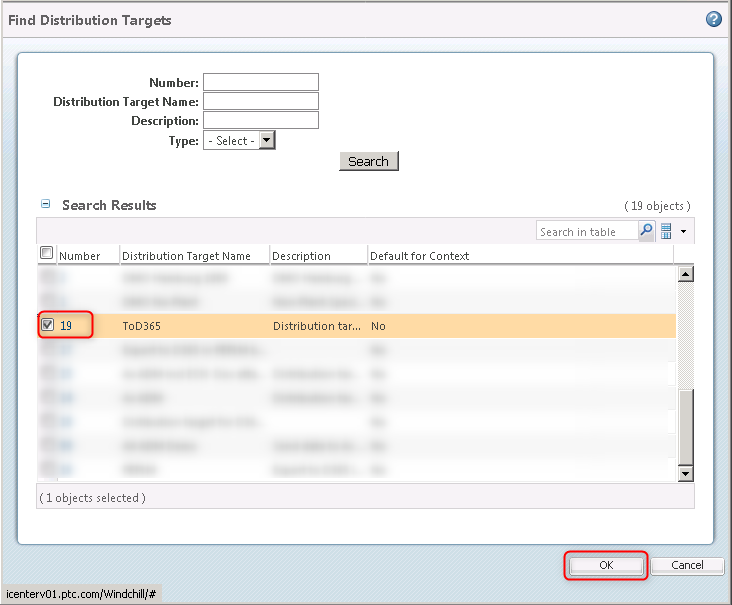
Select the applicable distribution target (in this example 19. ToD365) > click OK.