Check whether a part has the correct distribution target associated. You need this before you send the data to D365 F&SCM.
Note
The steps and user interface can differ in your PTC Windchill version.
Steps
Log in to PTC Windchill.
Browse to the item you want to send to D365 F&SCM.
Click the Related Objects tab > Expand the Distribution Targets section.
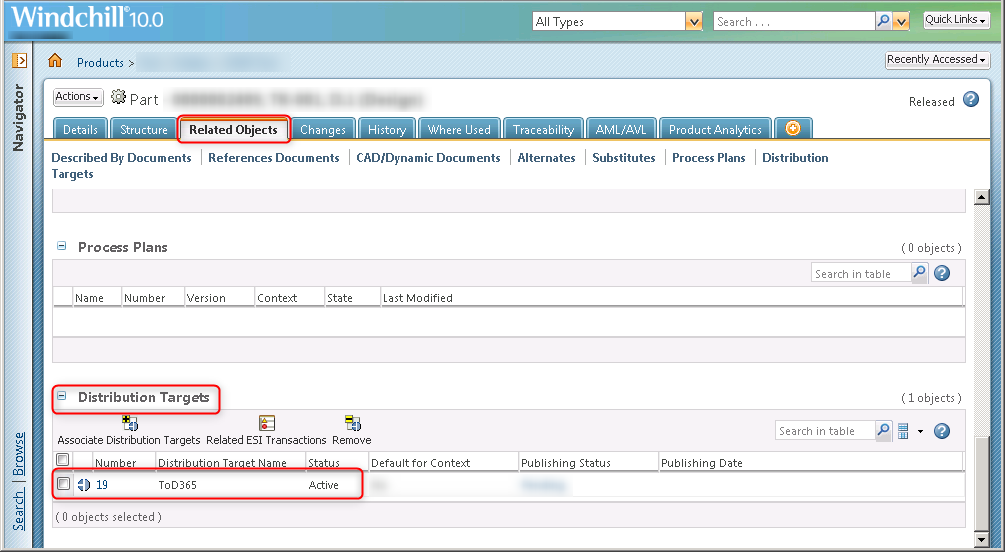
Verify the correct distribution target is associated. This example shows one associated target: 19. ToD365.
Note
The number and name of the distribution target can differ in your PTC Windchill environment.