The Rental Mobile Operations apps support the offline-first mode.
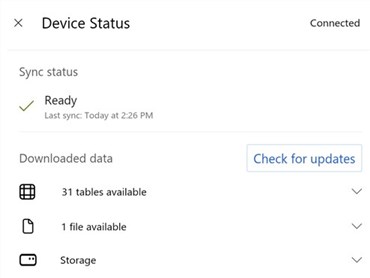
On the Device Status dialog, you can:
View if the device is connected or offline.
View the synchronization status.
Check for updates, which synchronizes the app and data in the app.
For more information, refer to:
Steps
On the app header, tap the Device Status (globe) button.

To synchronize, tap Check for updates.