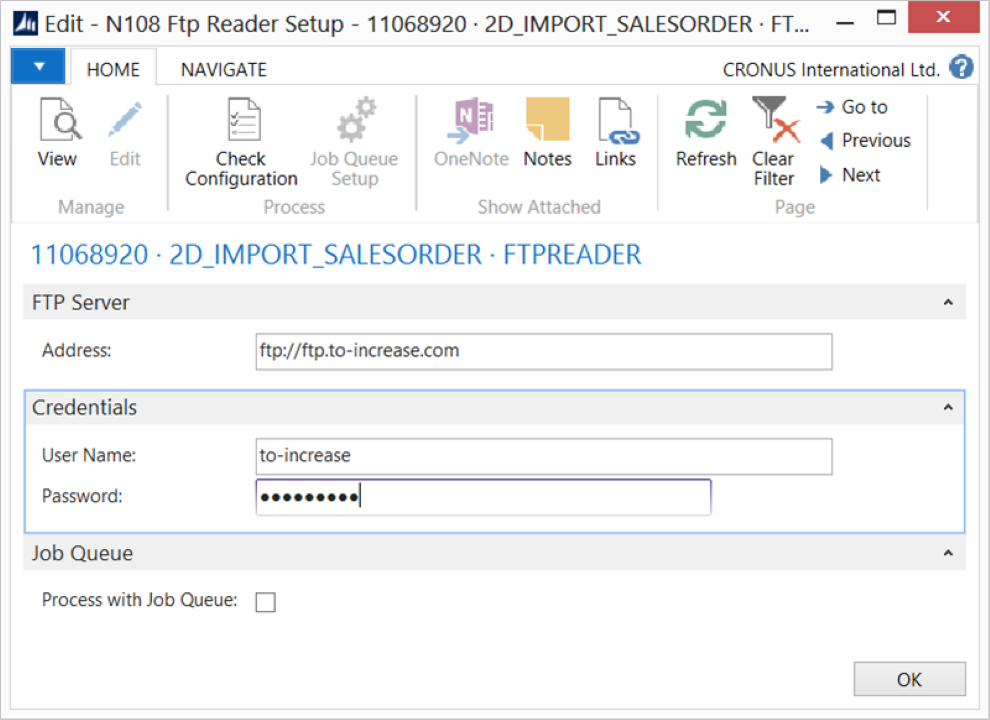
Use the FTP Reader endpoint to read files from an FTP server and process them into Microsoft Dynamics 365 Business Central.
Steps
Create an import connection and insert the element FTPREADER.
On the elements line, select Edit.
On the FTP Reader Setup page, fill in the following fields:
Field
Description
Address
Specify the FTP server location.
User Name
Specify the user credentials.
Password
Specify the user credentials.
Process with Job Queue
Select this field to process the connection using the D365 BC job queue.
Select Check Configuration to see if there are Anywhere Mobility Solutions configuration errors.
Select OK.