The Email Writer endpoint replaces the SMTP Writer endpoint.
In Business Integration Solutions, use the EMAILWRITER endpoint to write email messages to configured recipients.
Usage
Use this endpoint to send messages using the built-in mail capabilities of Microsoft Dynamics 365 Business Central.
Concept
To relay messages via email, add at least one email account.
This endpoint works best with the following activities:
XML To HTML Translator activity: provides messages in HTML or plain text format.
Attachment Generator activity: attaches standard Microsoft Dynamics 365 Business Central reports in PDF, Microsoft Word, or Microsoft Excel formats.
Note
Email accounts must be configured before testing or demoing notifications.
[Microsoft Dynamics Microsoft Dynamics 365 Business Central] ➡️ [
Set up the Email Writer endpoint
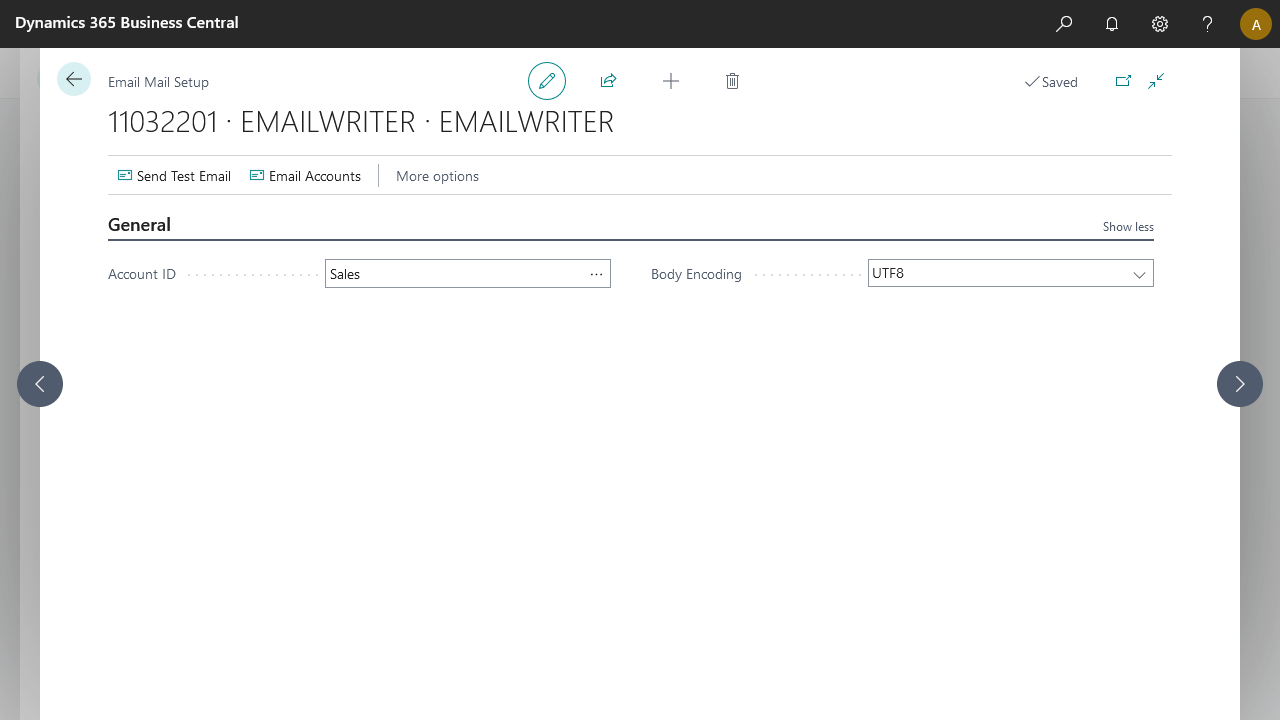
Use the Email Writer endpoint to relay notifications via email to recipients. The endpoint writes the email content in UTF-8 by default.
Steps
Create a notification and insert the element EMAILWRITER.
On the elements line, select Edit.
Select Add Email Account.

For Email Accounts documentation, see: https://learn.microsoft.com/en-us/dynamics365/business-central/admin-how-setup-email