Use this procedure to analyze bill of materials (BOM) data with the AI model integrated into PLM. The system compares multiple BOM versions, identifies changes, and provides AI-generated summaries to help engineers make informed decisions.
Steps
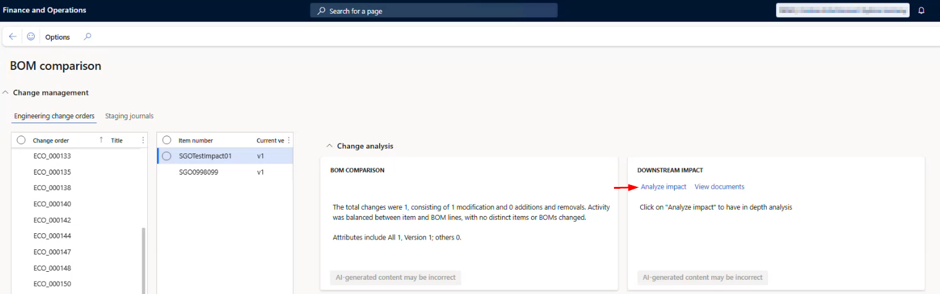
Go to Modules > Engineering change management > Workspaces > BOM comparison.
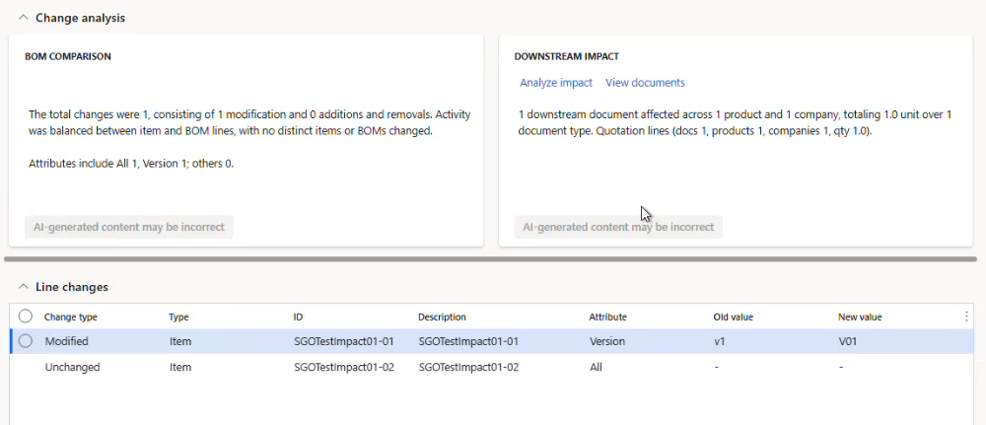
Click Analyze impact. The system analyses the BOM details, identifies downstream impacts, and summarizes the results.
Review the Line changes section to see:
Modified items
Unchanged items
Newly added items