You can deploy the T4EA feature template. After you deploy it, you are ready to use T4EA in Siemens Teamcenter.
Steps
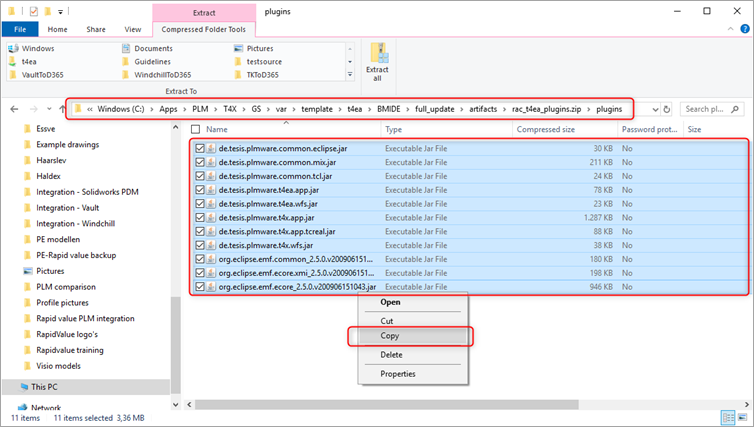
Go to 'C:\Apps\PLM\T4X\GS\var\template\t4ea\BMIDE\full_update\artifacts\rac_t4ea_plugins.zip\plugins' > select all files > right click any file > click Copy.
Note
Your GS root might differ from 'C:\Apps\PLM\T4X\GS\'.
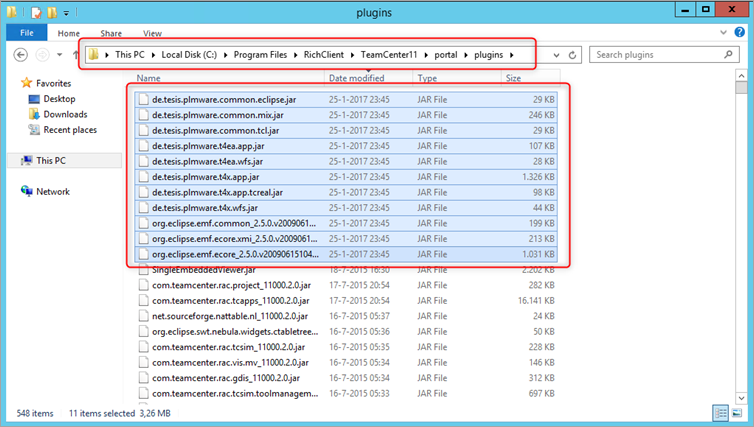
Go to 'C:\Program Files\RichClient\TeamCenter11\portal\plugins' > paste all files from the clipboard.
Note
Your Teamcenter root might differ from 'C:\Program Files\RichClient\TeamCenter11\'.
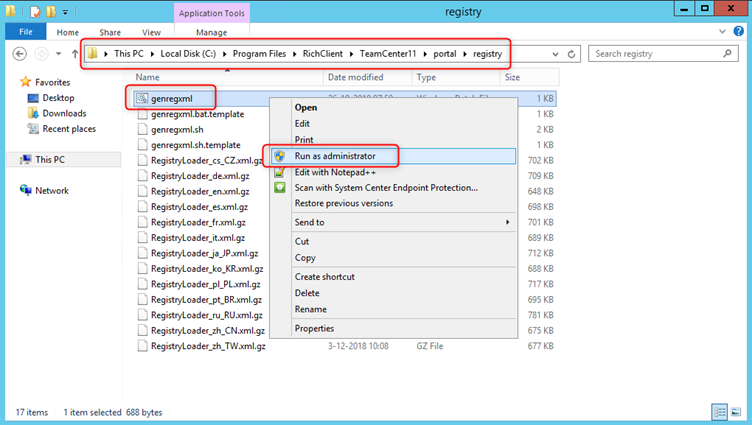
Go to 'C:\Program Files\RichClient\TeamCenter11\portal\registry' > right click 'genregxml.bat' > click Run as administrator.
Note:
Your Teamcenter root might differ from 'C:\Program Files\RichClient\TeamCenter11\'.
Finish this step after reinstalling Siemens Teamcenter.