A Number sequence is required to uniquely identify each PLM Staging Journal created through the integration process. Number sequences ensure that every imported dataset has a traceable reference within , supporting audit control and data validation.
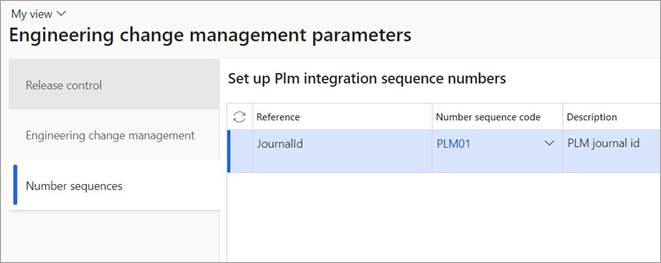
This setup defines the numbering format used by the PLM Integration when creating staging journals. The configured number sequence automatically assigns unique journal identifiers each time product data is imported from a PLM or CAD system. The number sequence is defined within the Engineering Change Management Parameters form.
Engineering Change Management Parameters – Stores all configuration settings for ECM and PLM integration.
Number Sequence Framework - Controls numbering logic across D365 F&SCM modules.
PLM Staging Journal - Uses the configured number sequence when a new journal is created during data import.
Steps
To configure the number sequence for the PLM Staging Journal:
Go to Modules > Engineering Change Management > Setup > Engineering Change Management parameters.
Open the Number sequences Tab.
Click Number sequence code dropdown menu and select a number sequence code for PLM journals.
Click Save.
Once this configuration is complete, each PLM journal imported through the integration will automatically receive its unique journal number when created in D365 F&SCM.