The SharePoint connector integrates with a SharePoint Online site via Microsoft Graph API. This method requires an Azure app registration to authenticate and grant API permissions.
Note
The alternative connectors SharePoint is supported for both PTC Windchill and Siemens Teamcenter integrations.
The connector type selected depends on the PLM export mechanism and enterprise integration architecture, not on the PLM system itself.
Pre-requisite
Before configuration, register an application in Microsoft Entra ID (Azure AD) and grant Microsoft Graph API permissions.
Steps:
Navigate to the PLM message and select Windchill_Source_SharePoint.
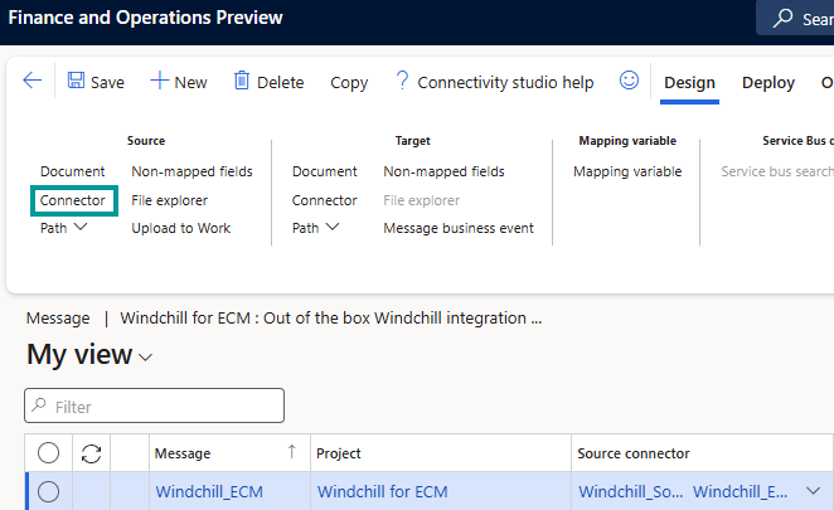
Click Connector to open settings.
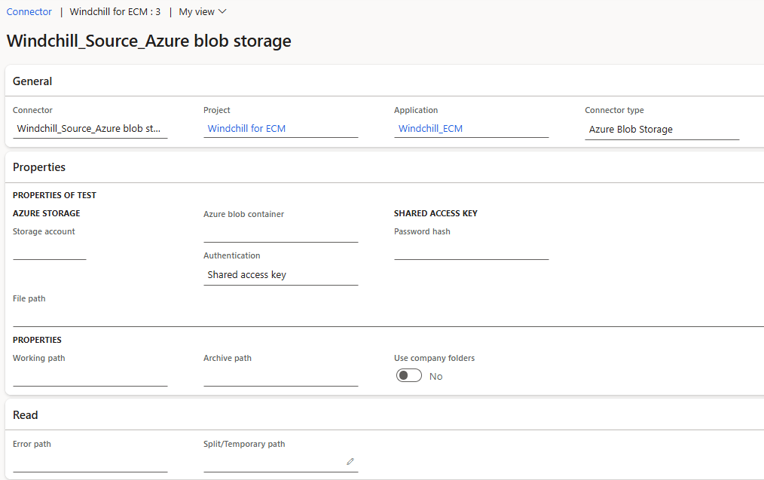
You can set up the to a SharePoint site and the input, archive and error folders.
Note
Below are the required fields to configure the SharePoint site.
Field | Purpose |
|---|---|
Tenant ID | Directory (tenant) ID of the Azure AD application used for Microsoft Graph permissions. |
Drive Name | Name of the SharePoint drive connected to the root site. If unavailable, use Drive ID. |
Drive ID | Unique identifier for a document library (subsite drive). Used when not connected directly to the root site. |
Grant type | Selects the preferred authentication method. This determines whether username/password or client secret fields are displayed. |
Client ID | Application (client) ID of the registered Azure AD app. |
Consumer secret / Consumer secret reference | Provides client authentication. The behaviour depends on the Display secret parameter in Connectivity Studio settings:
|
Scope | Defines Microsoft Graph API permissions. Typical values include |
File path | Specifies the folder path for connector files |
Working path | Defines the read location for new XML files. |
Archive path | Location where successfully imported files are moved. |
Error path | Location where failed XML files are stored. |