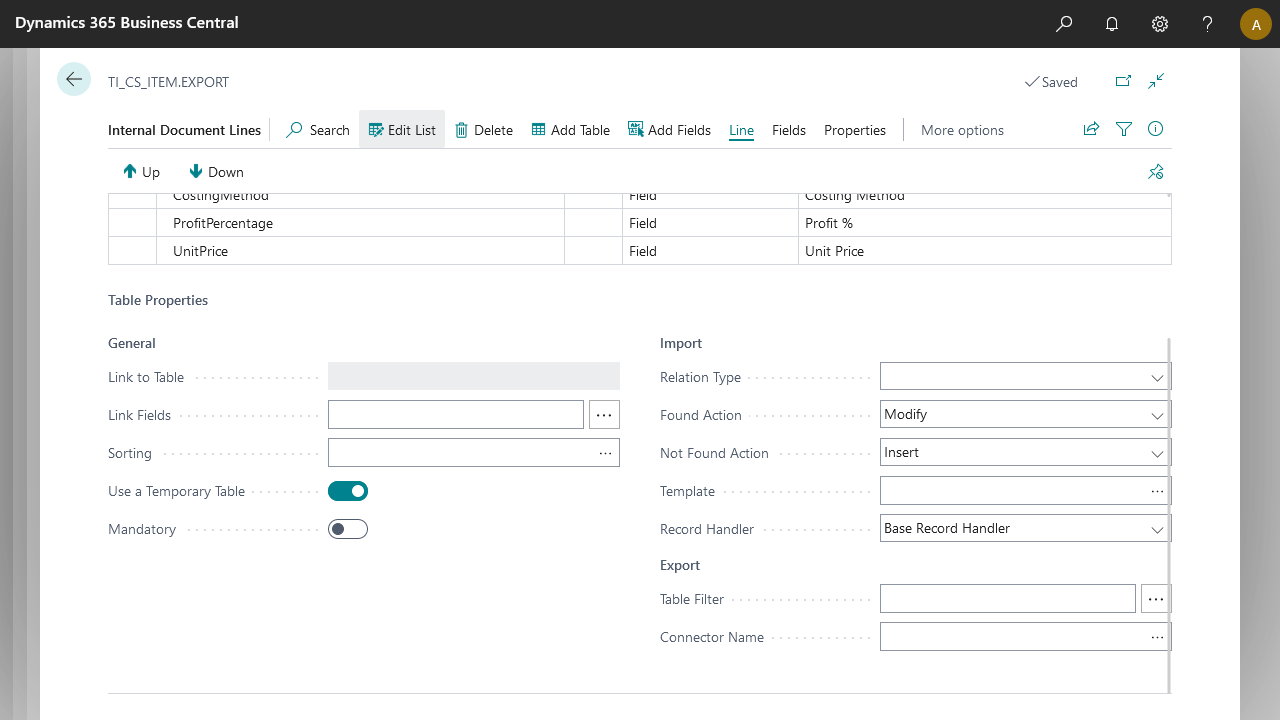
When exporting data from D365 BC, an internal document lets you manipulate data without committing anything to the database, using the temporary table handler. Configure this in the document properties at the table level.
Enable the Use a temporary table property, then specify the custom handler and the filter to apply. The incoming record on your custom connector contains several filters applied across filter groups to define its scope. Filters are not cleared or reapplied.
Filter group | Contains filters from |
|---|---|
Group 0 | Message filters |
Group 4 | Filter set on Link Fields (General Properties) |
Group 5 | Filter set on Table Filter (Export Properties) |
Note
The Use a temporary table property is optional. Note that Anywhere Mobility Solutions changes applied to records in your custom connector may also apply to the database.
The custom handler must have the same table number as the source table in your internal document and must implement the OnRun trigger, where all the logic goes (see example below).
Note
The custom handler re-triggers each time the node is hit, which in some cases may mean several times if the node is a child of another node.
Filters from the document apply to the
Recvariable in different filter groups (see table above). Clearing those filters may have unforeseen consequences.The filters mentioned above are retrievable from the
Recvariable from their corresponding filter group, if you need to manipulate them.
Example
codeunit 50000 YourTempTableHandler
{
    TableNo = YourTableNo

    trigger OnRun()
    var
        LocalVariable: Record YourTableNo;
    begin
        if not Rec.IsTemporary() then
            // check to ensure your buffer is temporary
            error('Your buffer should be temporary');

        // Use filter group 4 for accessing the table relation filters
        // LocalVariable.FilterGroup(4);

        // Use filter group 5 for accessing the export table filters
        // LocalVariable.FilterGroup(5);

        // Use filter group 0 for accessing incoming message filters
        // LocalVariable.FilterGroup(0);

        LocalVariable.CopyFilters(Rec);

        if LocalVariable.FindFirst() then begin
            // modify the data here
            Rec := LocalVariable;
            Rec.Field := NewValue;
            Rec.Modify();
        end;
    end;
}