In Business Integration Solutions, use the WEBSERVICEENDPOINT activity to send an HTTP request to an external system and optionally handle the response.
Usage
Use this activity to send a GET, POST, PUT, or DELETE request with a custom body and custom headers.
Concept
This activity lets the pipeline send data to an external web service, enabling integration with external systems. The response writes to the message queue.
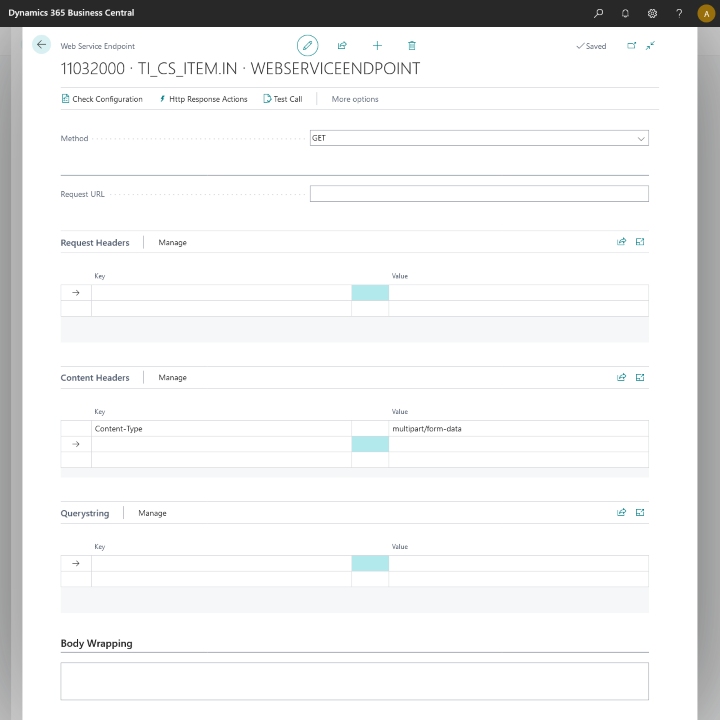
To use this activity, define at least the URL. See the complete list of setup properties below.
Property | Usage |
|---|---|
Method | Specifies the HTTP request method. |
Security Profile | The security profile that adds the authentication and authorization key(s) and value(s) to the request. To set up a security profile, refer to Setup Security Profile. |
Request URL | The URL of the HTTP request. |
Request Headers | A list of headers related to the request, such as |
Content Headers | A list of headers related to the request content, such as |
Querystring | A list of queries to append to the request URL. |
Body Wrapping | Wraps the body content from the pipeline so that the body is in the format expected by the request receiver. Example: |
Dynamically set properties
This endpoint works in combination with the Header Mapper activity, which lets you map the Request URL, Request Headers, Content Headers, and Querystring. The Request URL automatically adds to the Header Mapper when you link it to the WEBSERVICEENDPOINT, whereas for Anywhere Mobility Solutions other desired header or query, use the Move to HeaderMapper action present on each section.
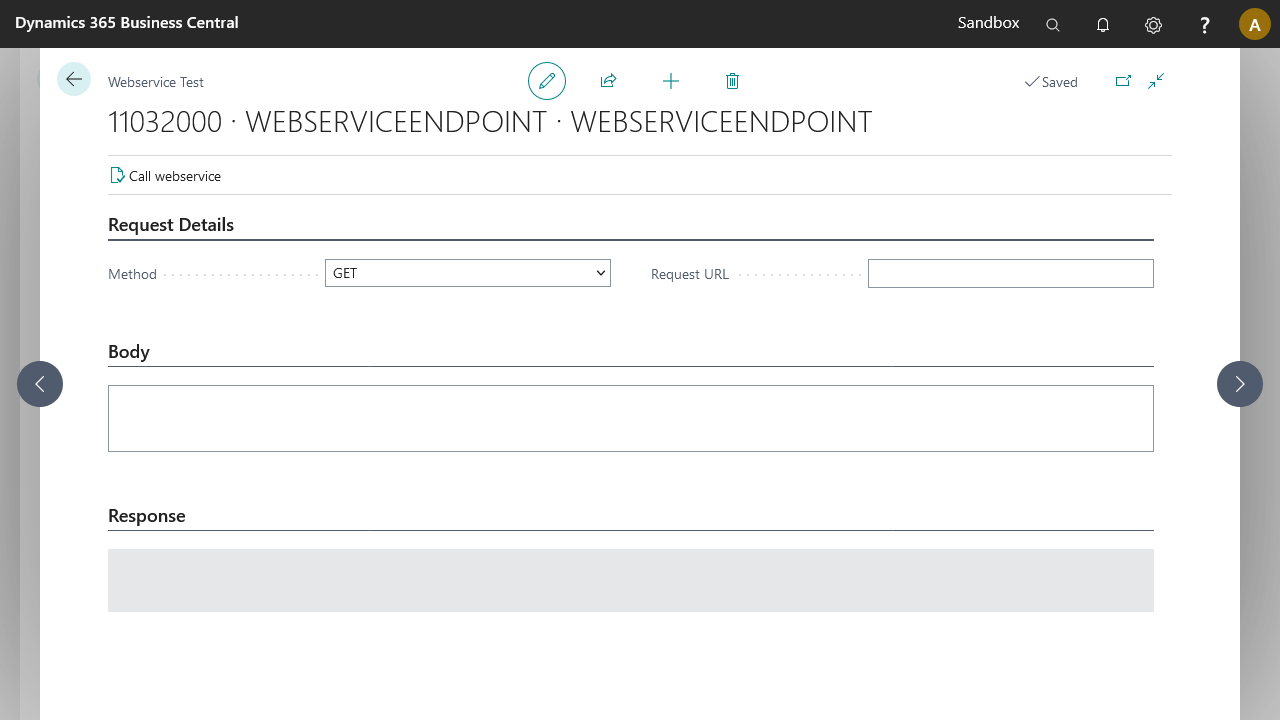
This activity also provides a Test Call action, which lets you send a test call with your setup and a specific body if applicable.
Examples
Example | See |
|---|---|
Set up a GET request |
HTTP actions
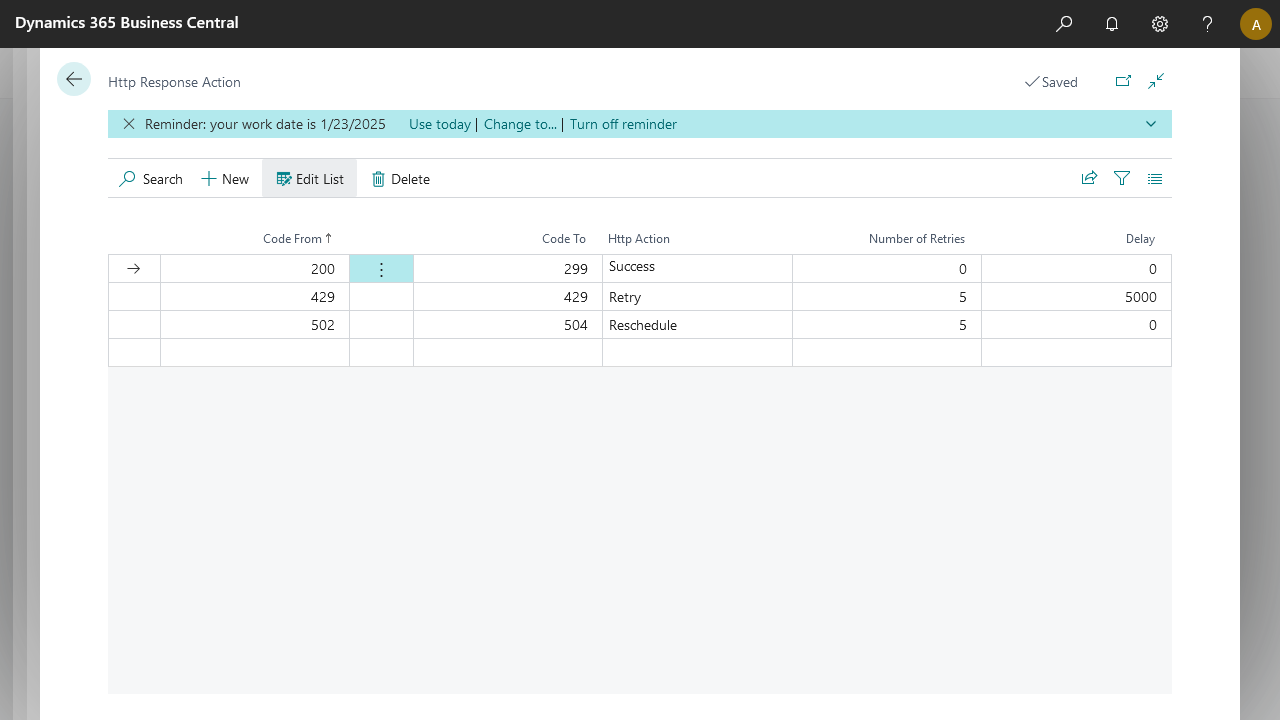
The HTTP Actions page lets you set up specific actions that the WEBSERVICEENDPOINT activity takes based on the code returned by the call. When you first create a WEBSERVICEENDPOINT, default values populate in this setup table. You can modify these actions based on your connection needs.
Default setup
Code From | Code To | HTTP Action | Number of Retries | Delay |
|---|---|---|---|---|
200 | 299 | Success | ||
429 | 429 | Retry | 5 | 5000 |
502 | 504 | Reschedule | 5 |
Property | Usage | Observation |
|---|---|---|
Code From | Defines the starting point of the HTTP code interval. | Accepted values: 100–599. |
Code To | Defines the ending point of the HTTP code interval. | Accepted values: 100–599. Must be greater than or equal to Code From. |
HTTP Action | Action to take if the response code falls in the defined interval. | Available options: Success, Retry, Reschedule, and Error. |
Number of Retries | The number of times to apply the action. | Works with Retry or Reschedule. |
Delay | The number of milliseconds to wait before applying the action. | Works with Retry only. |
HTTP Action | Behavior |
|---|---|
Success | Ends the WEBSERVICEENDPOINT activity with a successful message and logs the reply from the call. |
Retry | Applies a delay if one is set and tries the call again for the number of retries set. |
Reschedule | Sets the message back to waiting, to be picked up on the next job queue handler run. The action retries based on the number of retries. |
Error | Sets the message to an error state and logs the reply from the call. |
Note
PATCH is not supported by the HttpClient implementation in Microsoft Dynamics 365 Business Central. Therefore, Business Integration Solutions cannot support this request method.
If Retry or Reschedule do not end in a success state after the number of retries, the WEBSERVICEENDPOINT activity ends in an error state with the details logged in the message entry.