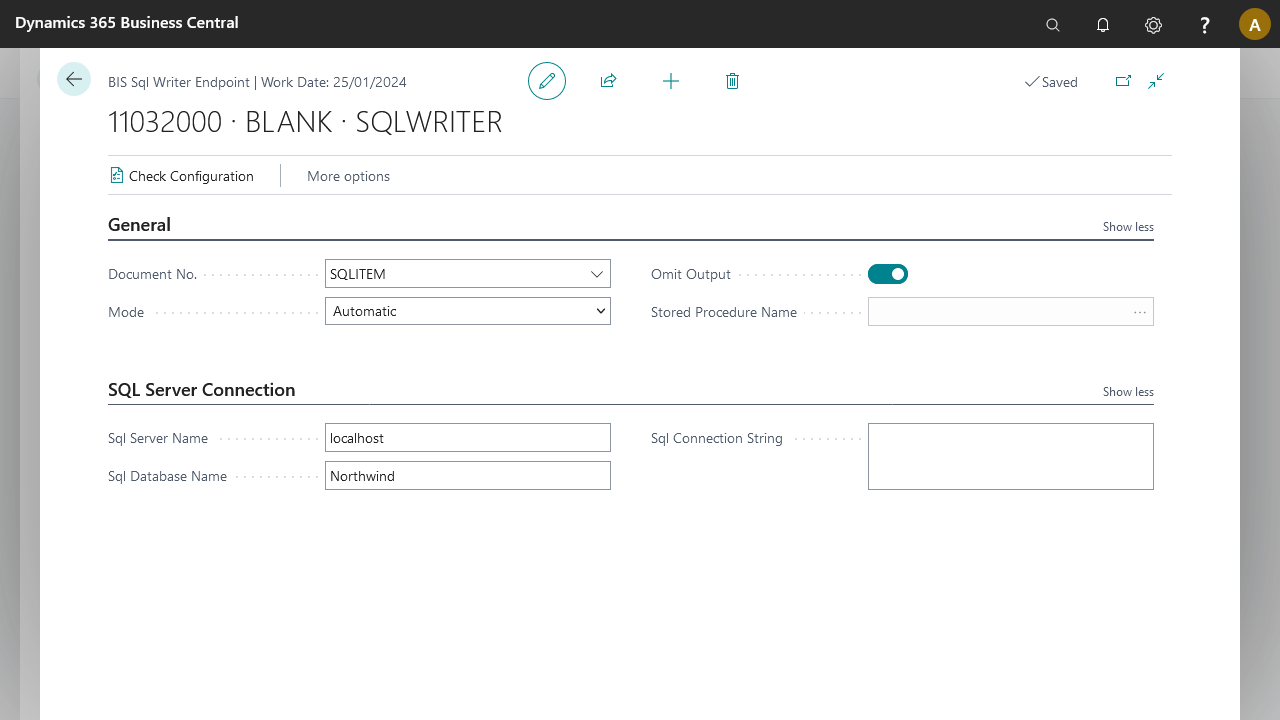
Use the SQL Writer endpoint to write XML data generated by Microsoft Dynamics 365 Business Central to SQL Server and process the data into the SQL tables.
The SQL Writer endpoint expects data to write to a SQL Server database connected using the specified connection string. This variant of the writer uses automatic mode, so no further programming is required in SQL Server. The connection string must be in the appropriate format and must at minimum contain the server name, database name, and authentication information.
Prerequisites
Access to a SQL Server database.
A connection string to the SQL Server database that allows the Microsoft Dynamics 365 Business Central service tier user to connect and write data. This is required when the user running the Microsoft Dynamics 365 Business Central service tier does not have access to that environment.
Steps
Define an external document definition for the SQL Server tables and fields to write. Before designing the document, set the subtype of the document to SQL and fill in the connection details. This lets you create a document structure similar to internal documents.
Include the SQL Writer endpoint in the pipeline.
Set the SQL document as Document No. in the SQL Writer endpoint.
Select Check Configuration to validate the external document definition and test the SQL connection.
Optionally, enable Omit Output. This lets write transactions proceed on tables that have triggers set. Note that when enabled and a query executes but rows modified is 0, no error is reported. If unsure, leave Omit Output at its default value (false).