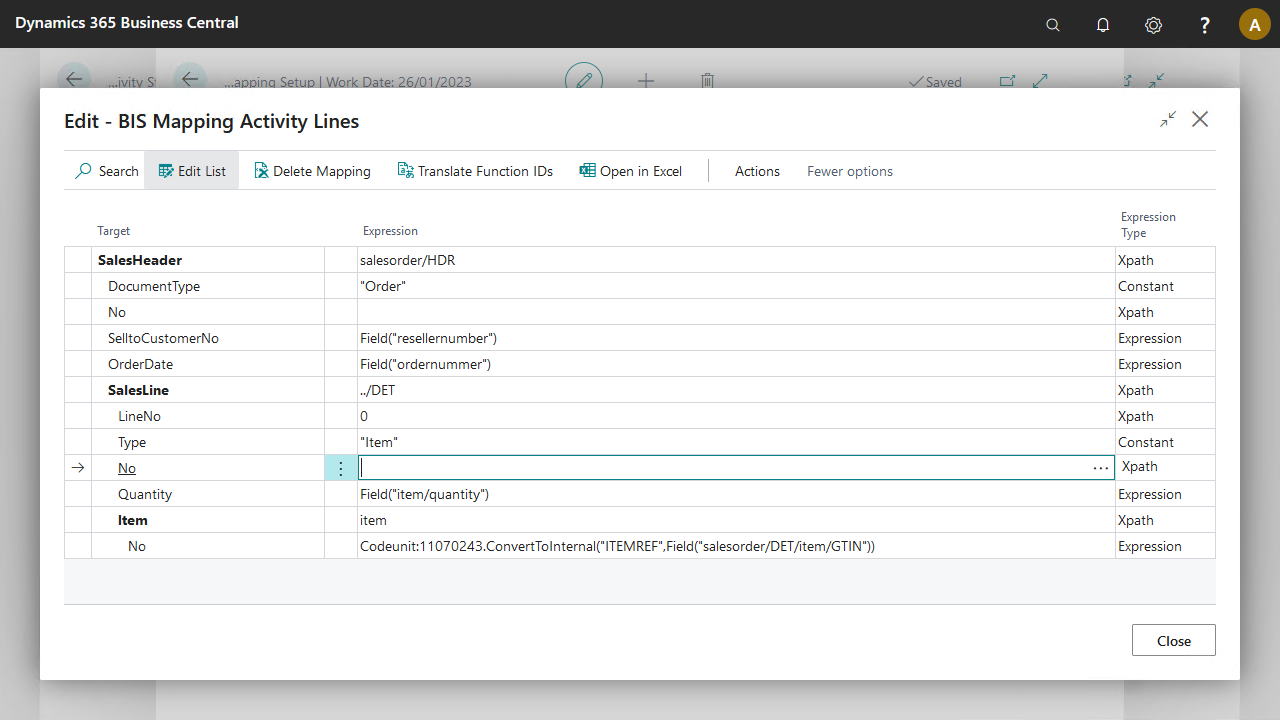
The Mapper activity synchronizes the internal and external documents, especially when the external document structure differs from your internal document structure.
Settings
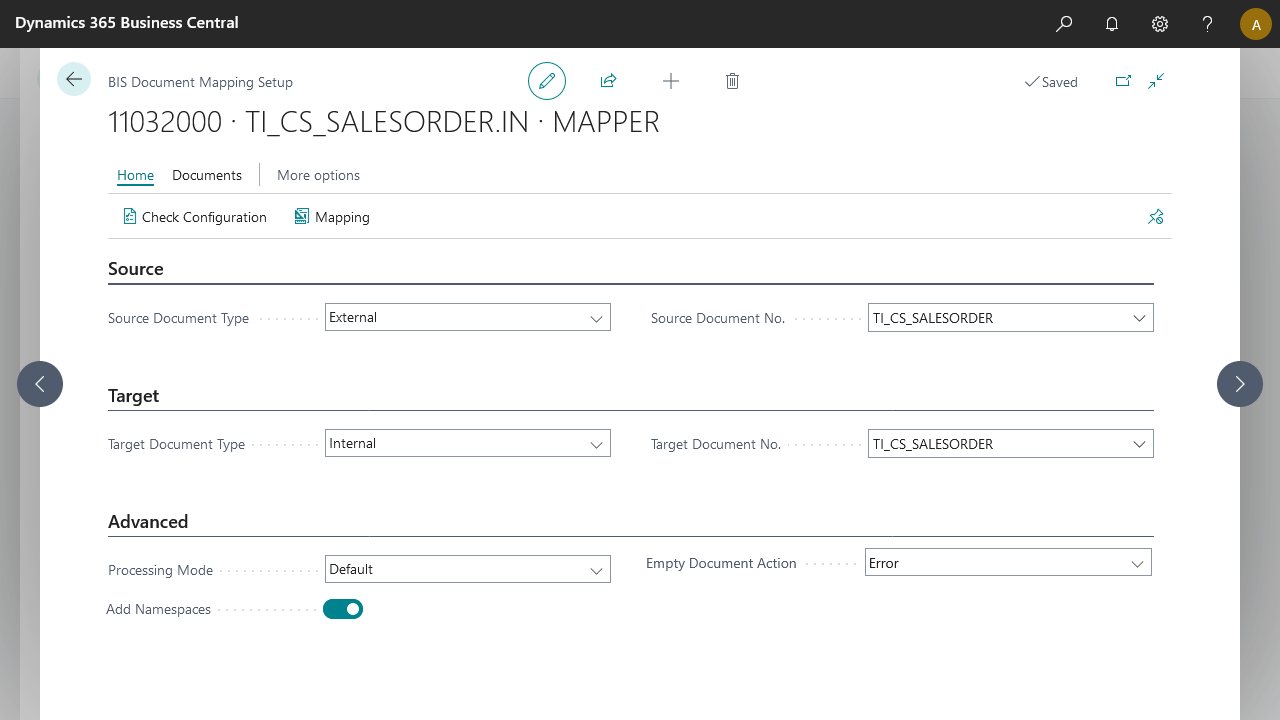
Field | Description |
|---|---|
Source Document Type | Select the source document type. Typically, select External for an import connection and Internal for an export connection. |
Source Document No. | Based on the source type, select the source document. |
Target Document Type | Select the target document type. Typically, select Internal for an import connection and External for an export connection. |
Target Document No. | Based on the target type, select the target document. |
Processing Mode | Choose Default if the import data set is not too large. This option provides backward compatibility with previous Business Integration Solutions versions. Choose Streaming for better performance on larger data sets. Note that the streaming option cannot port to the SaaS version of Business Integration Solutions. |
Steps
Create a connection and insert the element MAPPER.
On the elements line, select Edit.
Fill in the settings fields, see Settings.
Select Mapping.
On the Mapping Activity Lines page, configure how the source fields and target fields map. Use the AssistEdit to define the mapping correctly.
Select OK.
Select Check Configuration to see if there are Anywhere Mobility Solutions configuration errors.
Select OK.