In this demo script, a released purchase order is used as source document for a Warehouse Receipt. Create this released purchase order before using the WMS Receipt pre-configured process.
Steps
Execute the following steps in Microsoft Dynamics 365 Business Central.
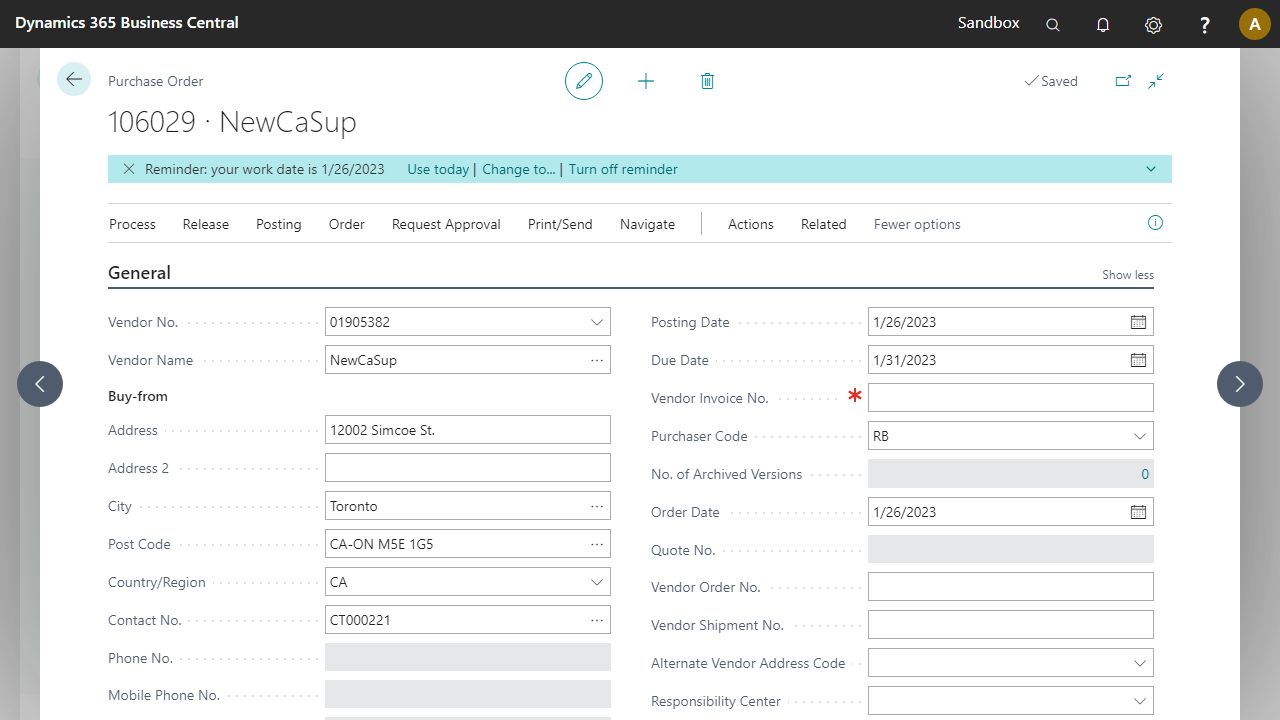
Go to the Purchase Orders page and create a new purchase order.
In the Vendor field, select 01905382 NewCaSup.
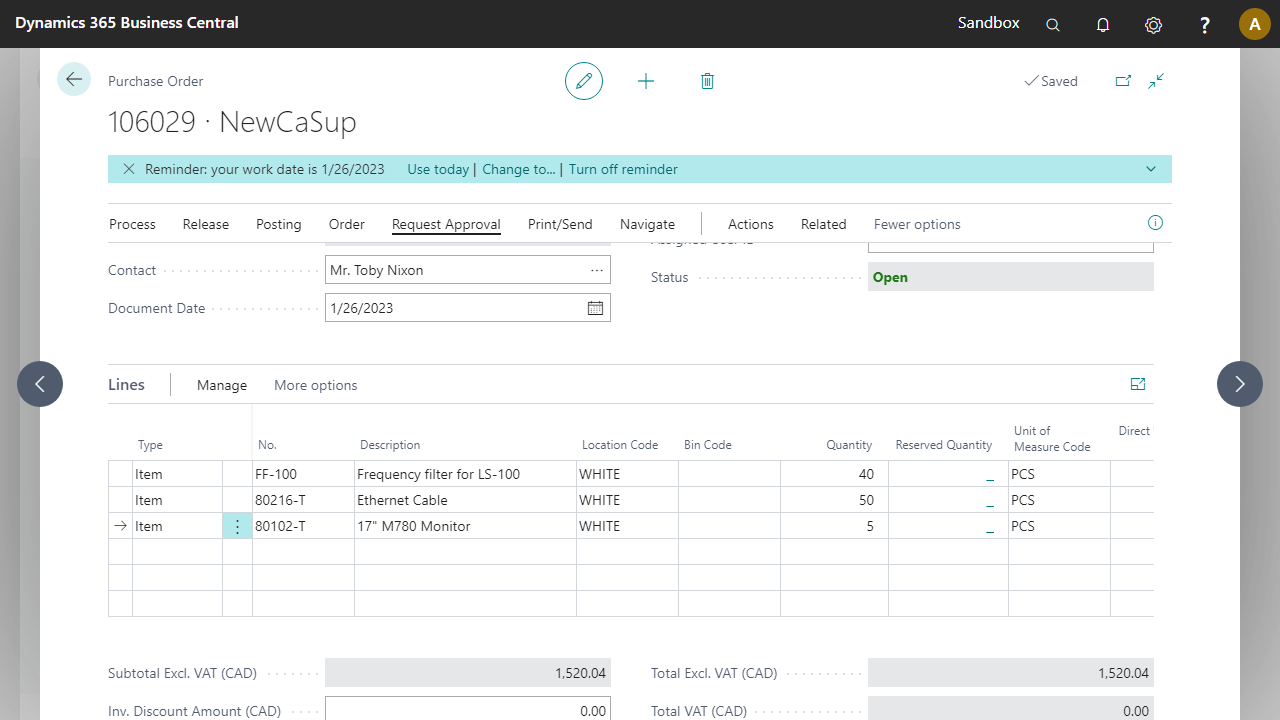
Add the following lines:
Type | No. | Location | Quantity | Unit of Measure Code |
|---|---|---|---|---|
Item | FF-100 | WHITE | 40 | Project Control Suite |
Item | 80216-T | WHITE | 50 | Project Control Suite |
Item | 80102-T | WHITE | 5 | Project Control Suite |
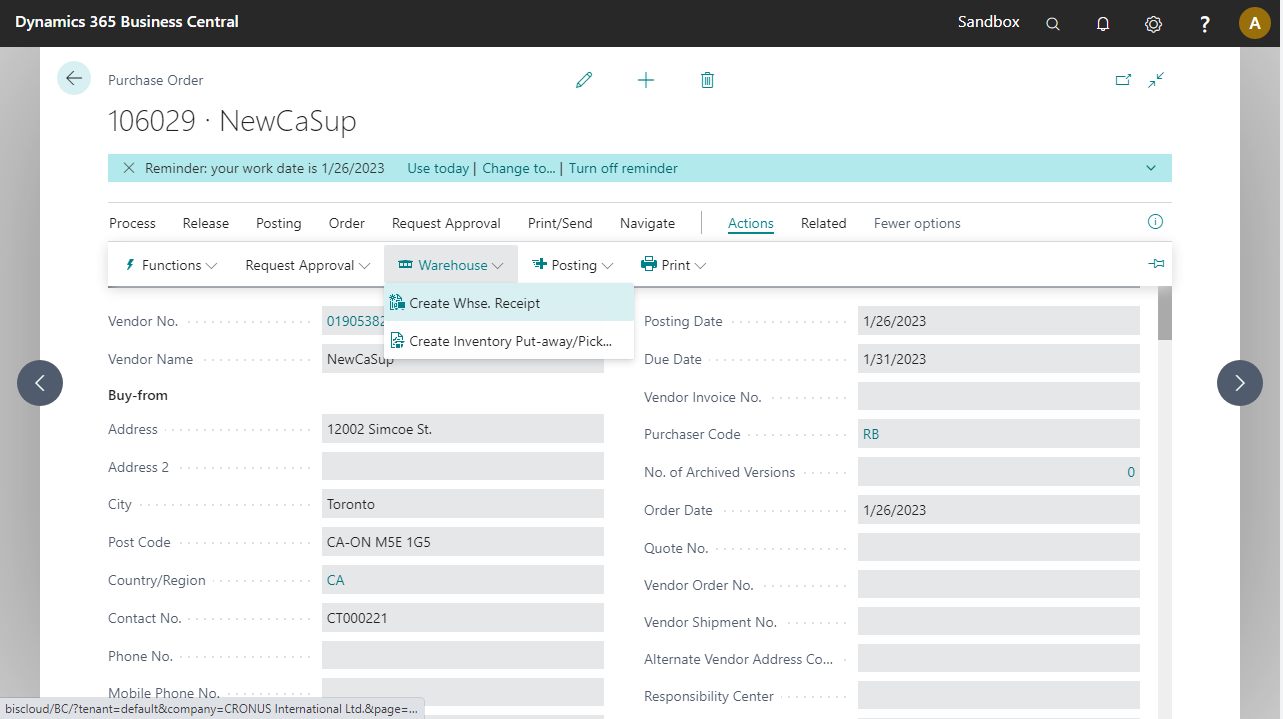
Release the order and go to Actions > Warehouse > Create Whse. Receipt.
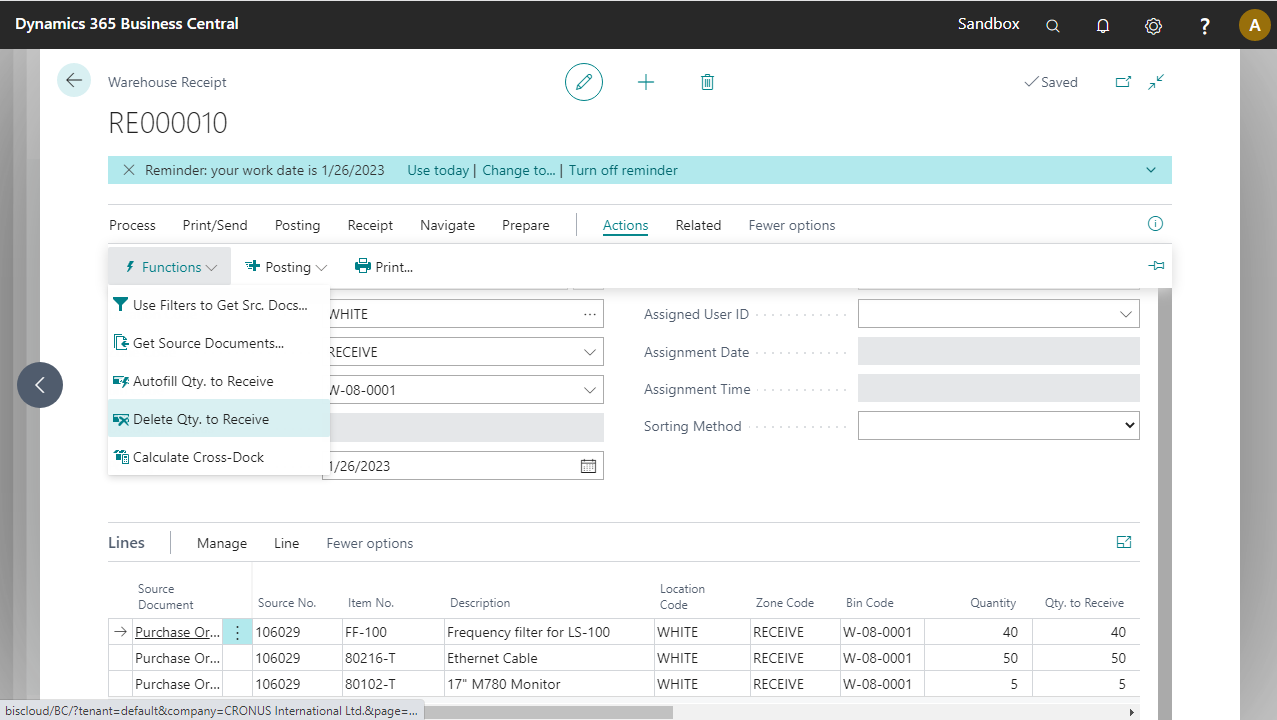
You are redirected to the newly created warehouse receipt.
Optional: Personalize the page so that the fields Location Code, Zone Code, and Bin Code appear at the start of the column list in the lines, after description.
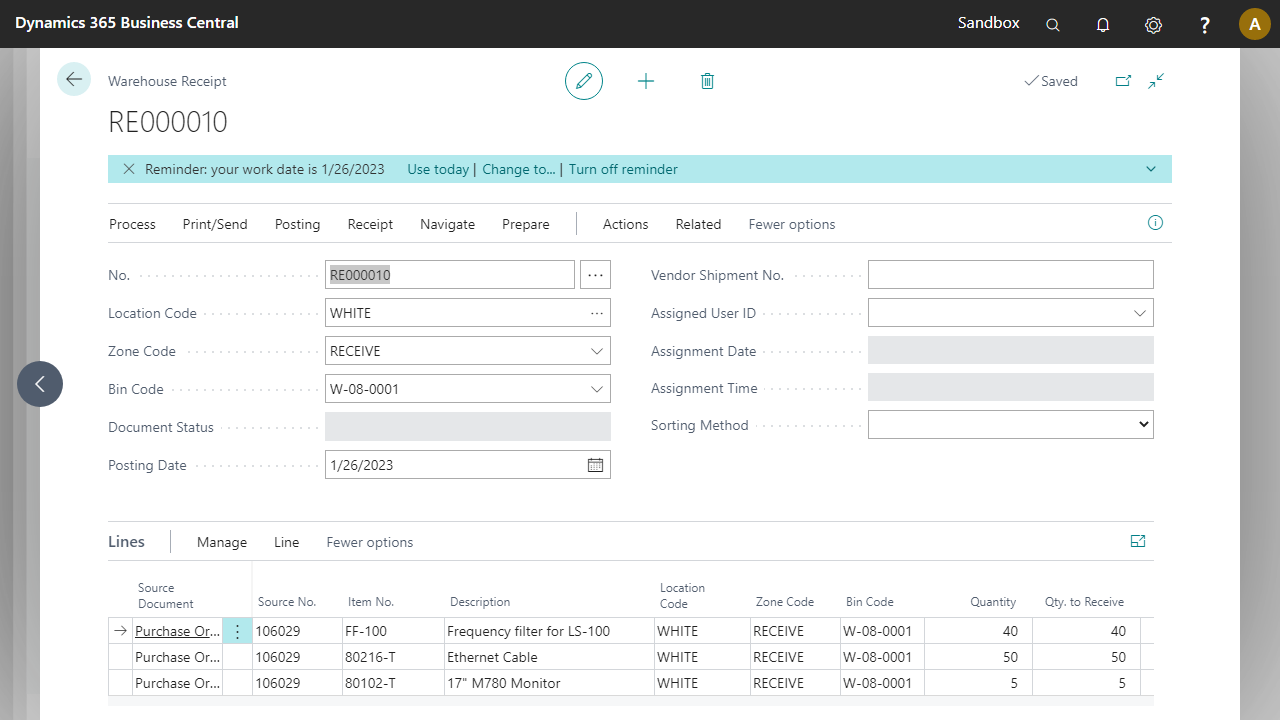
In the Warehouse Receipt Lines, the Qty. to Receive field is automatically filled. These quantities must be filled in through the pre-configured process. Go to Actions > Functions > Delete Qty. to Receive.