In Business Integration Solutions, the Webservice event triggers a pipeline when an external party calls the related web service. The Webservice event uses the standard Microsoft Dynamics 365 Business Central web service functionalities.
Usage
Use the Webservice event to import data into Microsoft Dynamics 365 Business Central and to export data from Microsoft Dynamics 365 Business Central.
When you import data into Microsoft Dynamics 365 Business Central, an external party calls the Microsoft Dynamics 365 Business Central web service. The web service links to the Business Integration Solutions Webservice event codeunit, which triggers the pipeline. Other pipeline activities handle the rest of the data import.
Two commands are available for importing data from the external party into D365 BC:
Write Document: The data exports to D365 BC and adds to the message queue. The Business Integration Solutions pipeline waits for the job queue to finalize the import. This is an asynchronous process.
Write Document With Response: The data exports to D365 BC and immediately processes through the complete pipeline in a synchronous process.
You can also use the Webservice event to export data from Microsoft Dynamics 365 Business Central to an external system. In this case, an external party calls the D365 BC web service, which links to a Business Integration Solutions Webservice event and triggers the Business Integration Solutions pipeline. Based on an internal document, the Business Integration Solutions pipeline exports the relevant data.
Reading data
Reading data exports data from Microsoft Dynamics 365 Business Central when an external request is made.
[WS-request] ➡️ [ReadDocument] ➡️ [WebServiceId] ➡️ [String]
Writing data
Writing data receives a request and, based on the document, imports data into Microsoft Dynamics 365 Business Central.
[WS request] ➡️ [WS event] ➡️ [WriteDocument] ➡️ [WebServiceId,documentString]
Read and write
[WS request] ➡️ [WS event] ➡️ [WriteDocument] ➡️ [WebServiceId,documentString] ➡️ [WebServiceId,documentString] ➡️ [documentString]
Concept
The Webservice Event uses standard Microsoft Dynamics 365 Business Central web service functionalities as much as possible. Refer to the online help for more information about working with web services.
An external party calls the Microsoft Dynamics 365 Business Central web service. The call goes to the Business Integration Solutions Webservice event (codeunit), which links to the Microsoft Dynamics 365 Business Central web service. Based on the pipeline configuration, an export or import of data takes place.
In an import pipeline, the Webservice event is followed by a Mapper and a Record Generator. In an export pipeline, the Webservice event is most likely followed by an XML Generator, a Mapper, and a writer endpoint.
[Microsoft Dynamics 365 Business Central] ➡️ [Web Service Event] ➡️ [
Setup
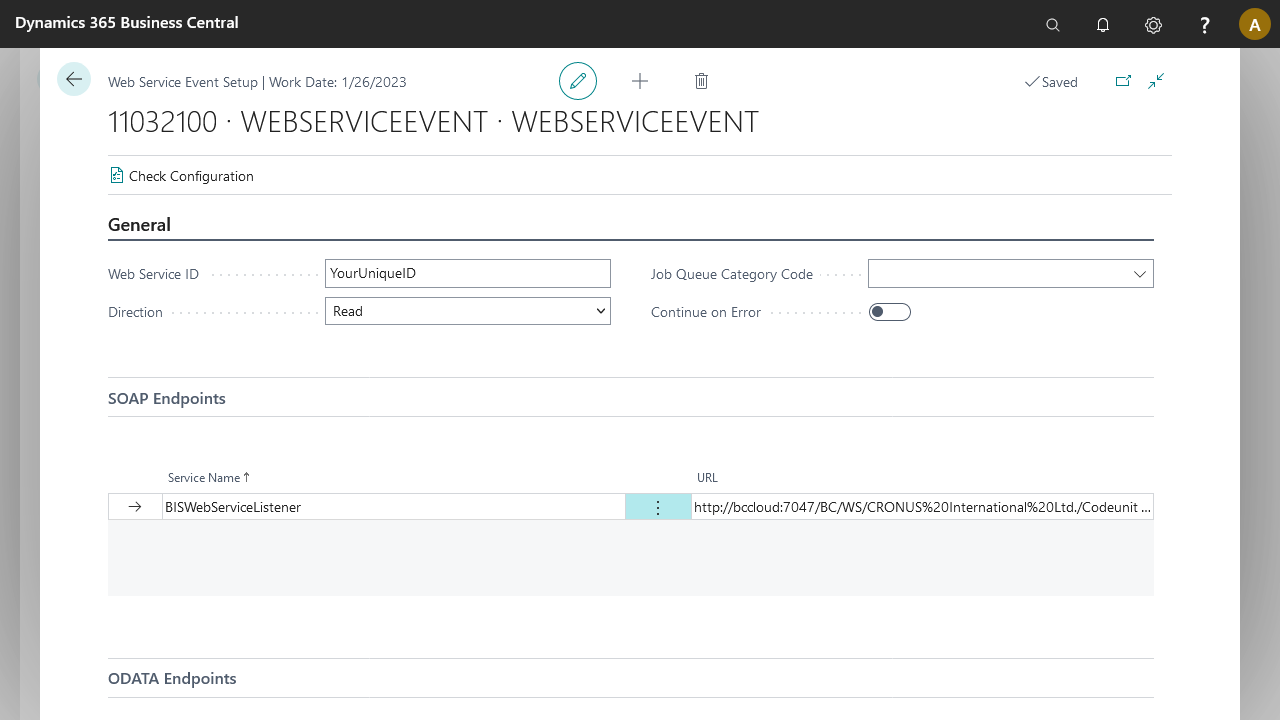
The web service event setup page contains the following tabs:
Tab | Field | Description |
|---|---|---|
General | Web Service ID | Unique web service identifier across all connections. |
Direction | Indicates the direction of the web service (Read, Write, or Read and Write). | |
Job Queue Category Code | Job queue category code used when writing data to D365 BC without expecting a reply back. | |
Continue on Error | Valid only when direction is Read and Write. When enabled and the web service call returns an error, the pipeline does not stop. | |
SOAP Endpoints | Displays all available SOAP endpoints for the web service event. | |
ODATA Endpoints | Displays all available ODATA V4 endpoints for the web service event. | |
Document | Document No. | Internal document on which the web service call is based. |
Filters | Filters applied to the dataset on which the web service call is based. |
Available actions
Direction | Function name | SOAP arguments | oData arguments |
|---|---|---|---|
Read | |||
Write | WriteDocumentWithResponse | ||
WriteDocument | WebServiceId,documentString | webServiceId,documentString |
Postman examples
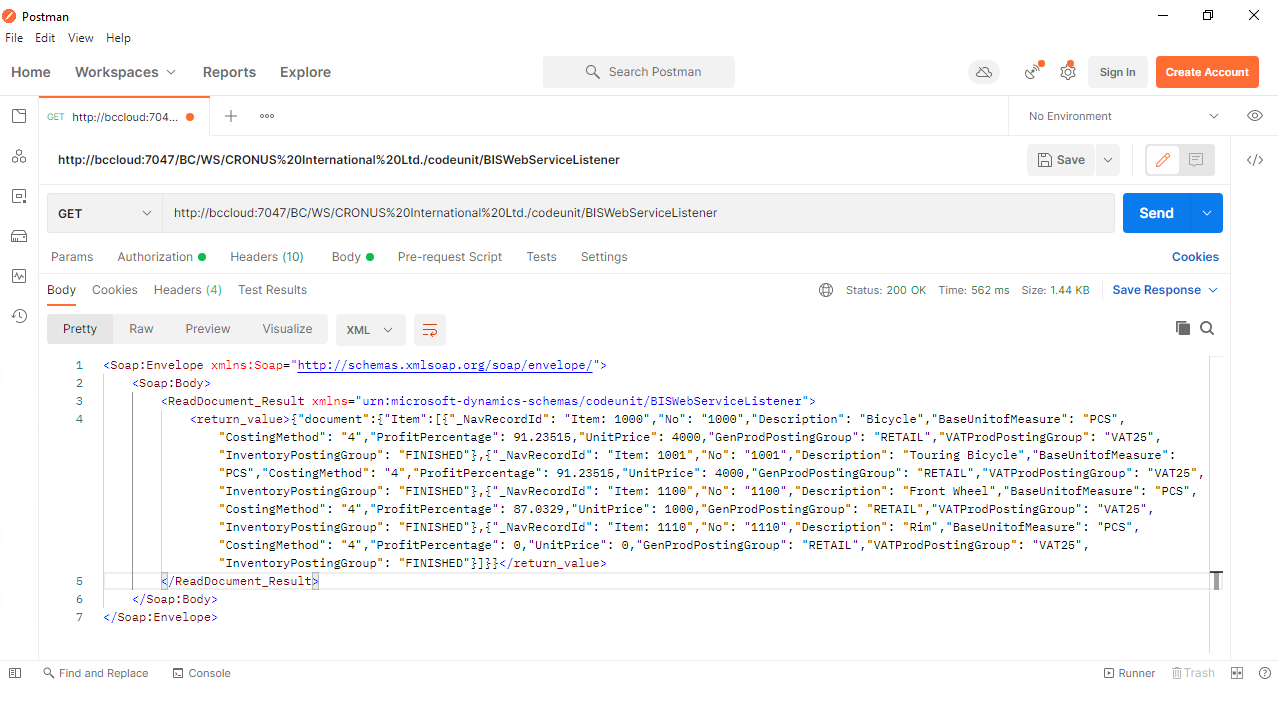
The following two examples (one for SOAP and one for ODATA V4) use the same connection. The connection starts with a Webservice event, continues to an XML Generator, and ends with an XML to JSON Translator. All pipeline elements are based on an item document structure, filtering items from number 1000 to number 1110.
[Web Service Event] ➡️ [Xml Generator] ➡️ [Xml to Json Translator]
The authorization in both cases uses Basic Auth (username and password), because the examples are built within a D365 BC-based container. Adjust the authorization for your environment.
SOAP example
GET request
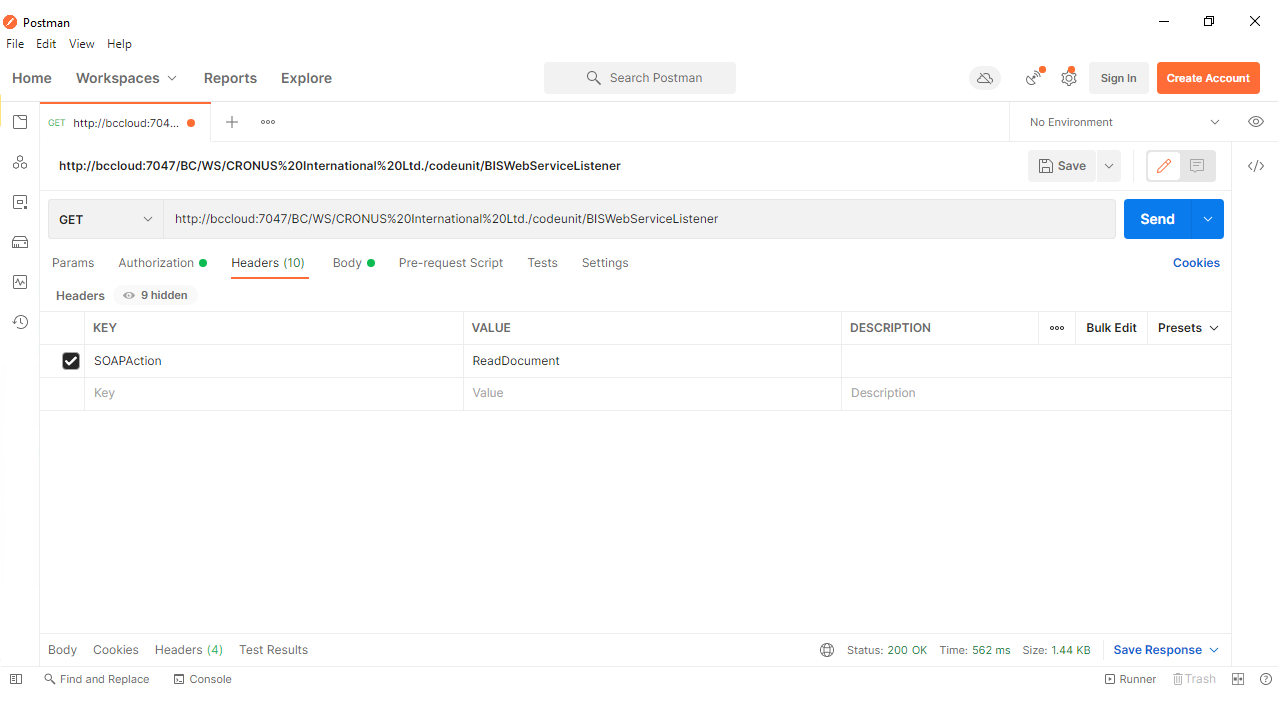
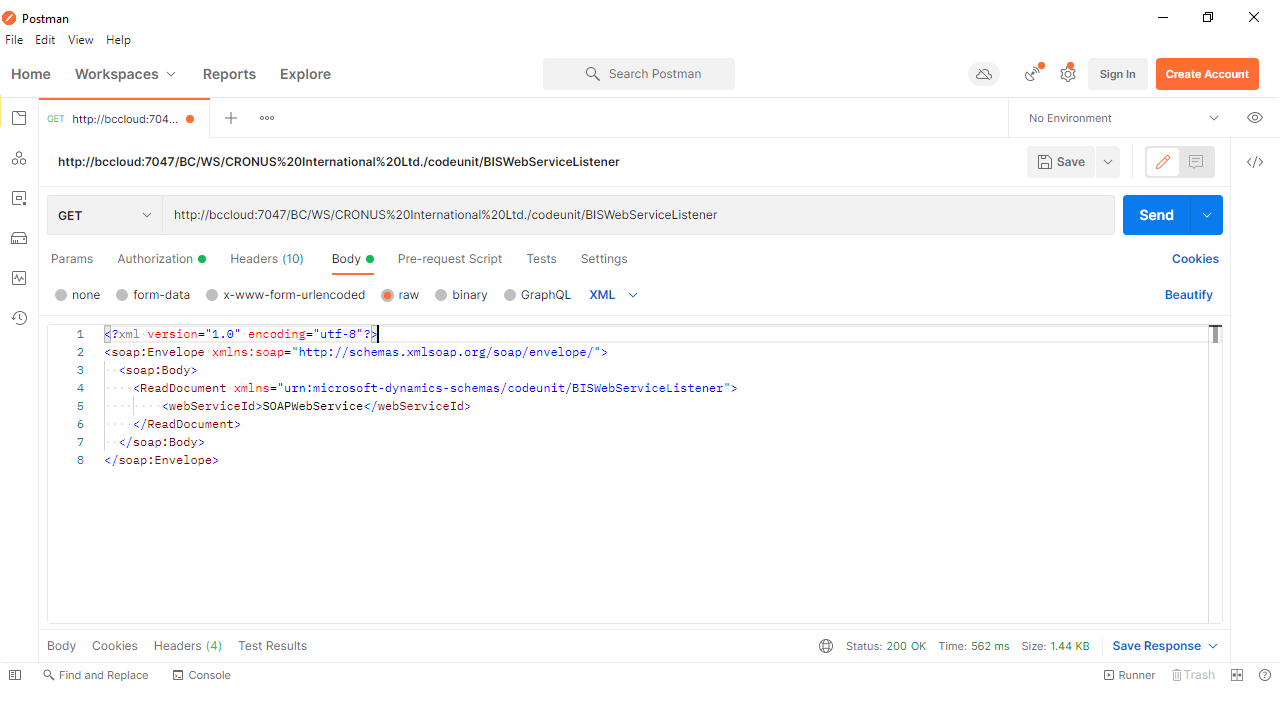
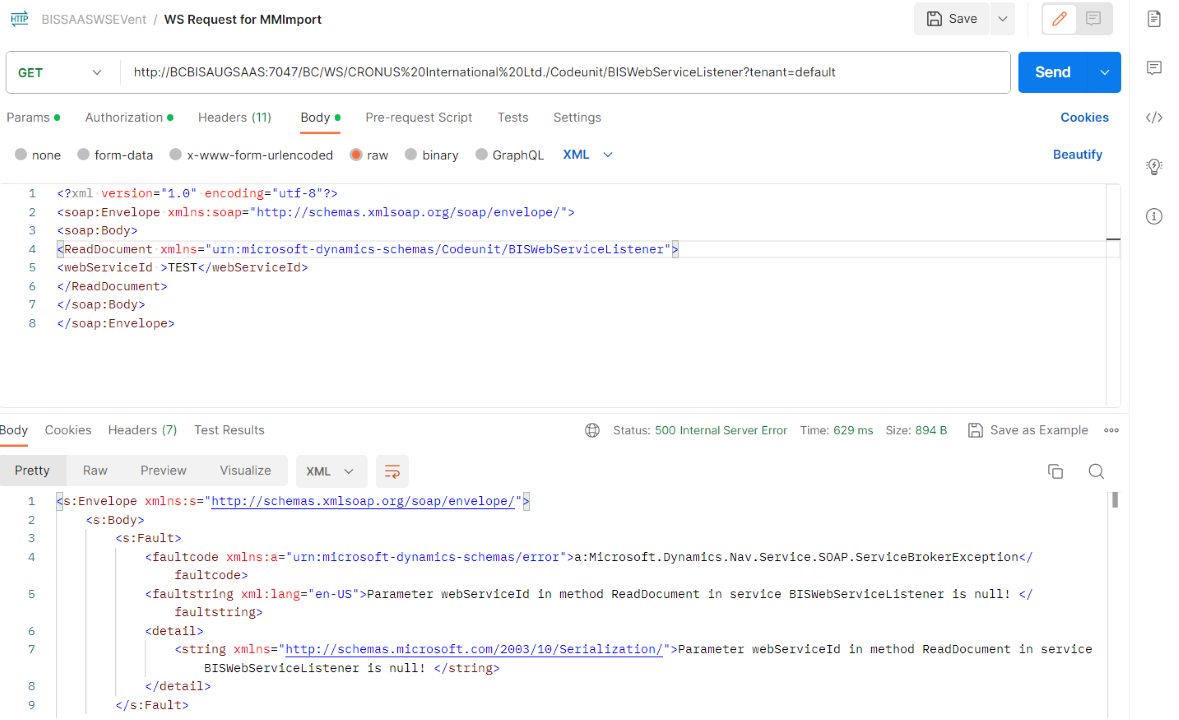
When calling a Webservice Event using SOAP, build a SOAP envelope for the method you want to reach. In this case, call method ReadDocument, which takes one parameter: webServiceId.
Headers
Body
Result
Note
The web service event SOAP request is case sensitive. If the method or URL does not follow the correct case, the response will be null. Refer to the screen below for more information.
POST request
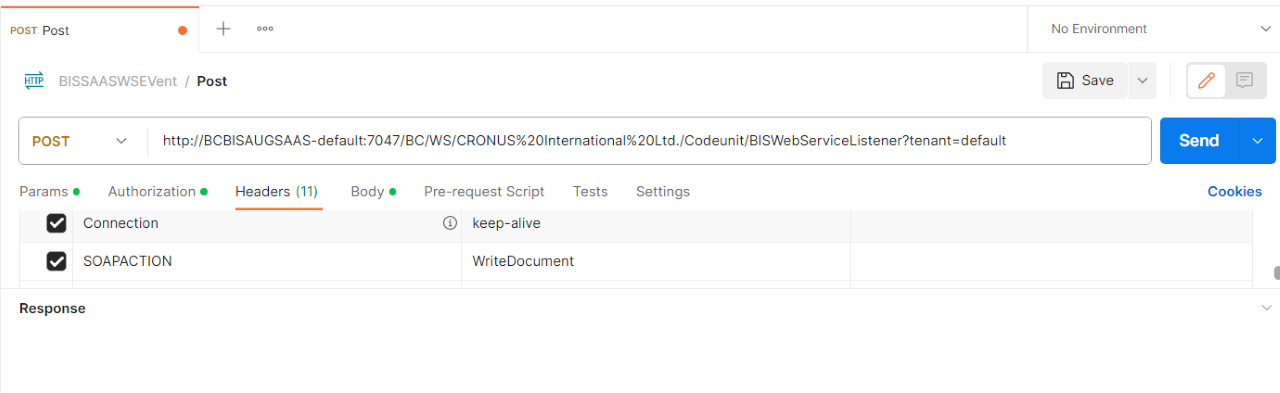
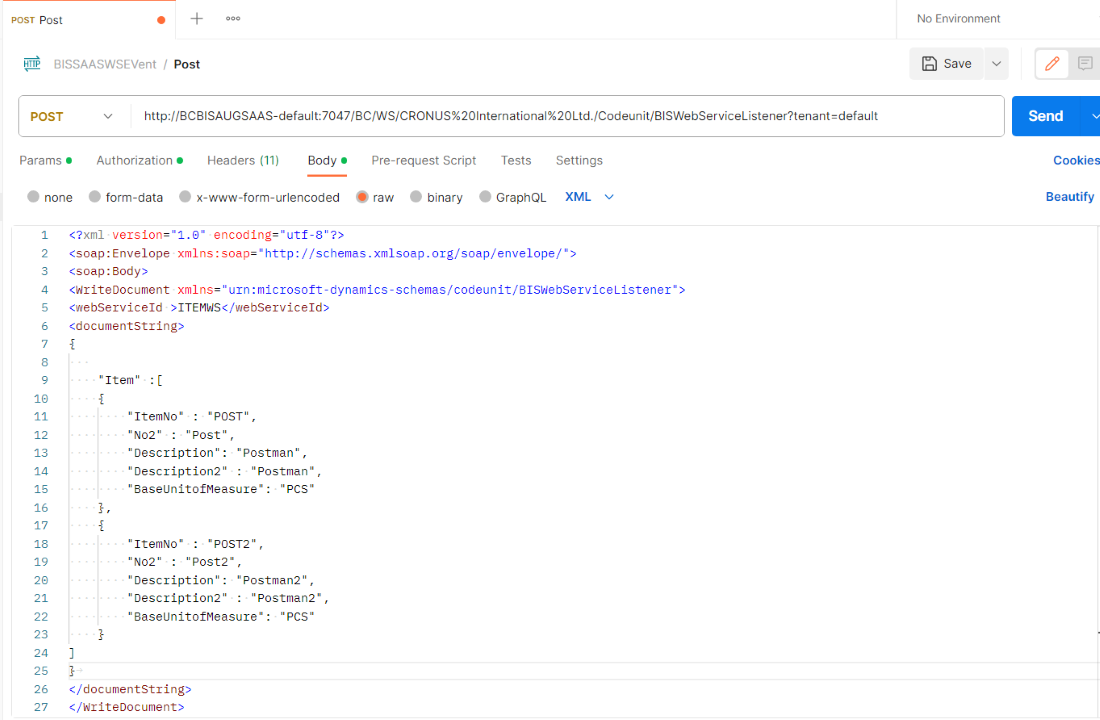
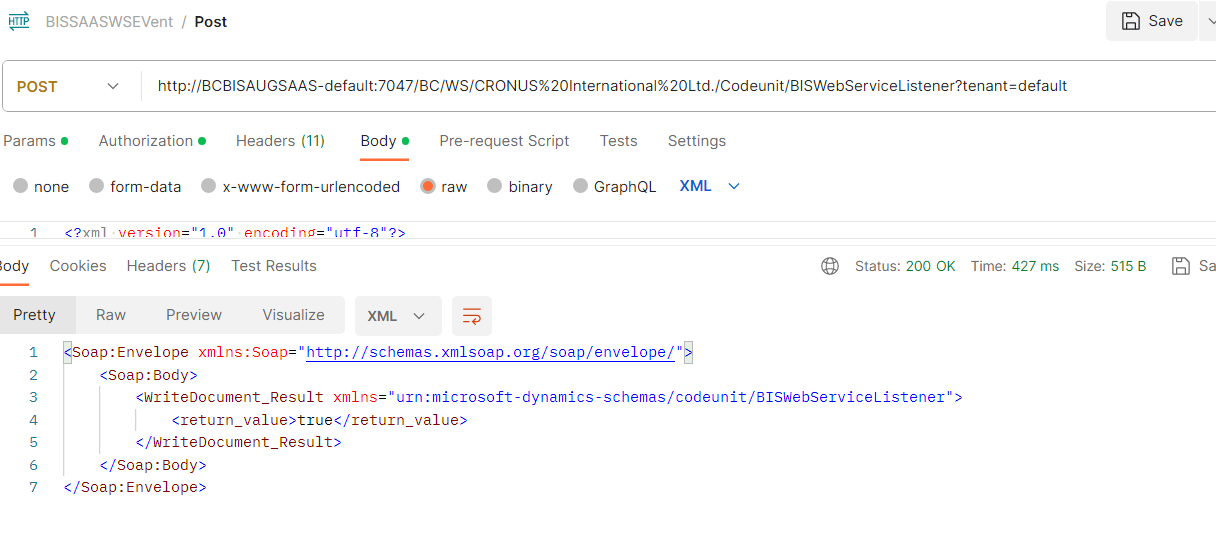
To post or import data to Microsoft Dynamics 365 Business Central, call method WriteDocument, which takes the parameters webServiceId and documentString.
Headers
Body
Result
ODATA V4 example
When calling a Webservice event using ODATA, send the web service ID not as a method parameter but as a scope record in the calling URL. The calling body must include the required parameters in JSON format.
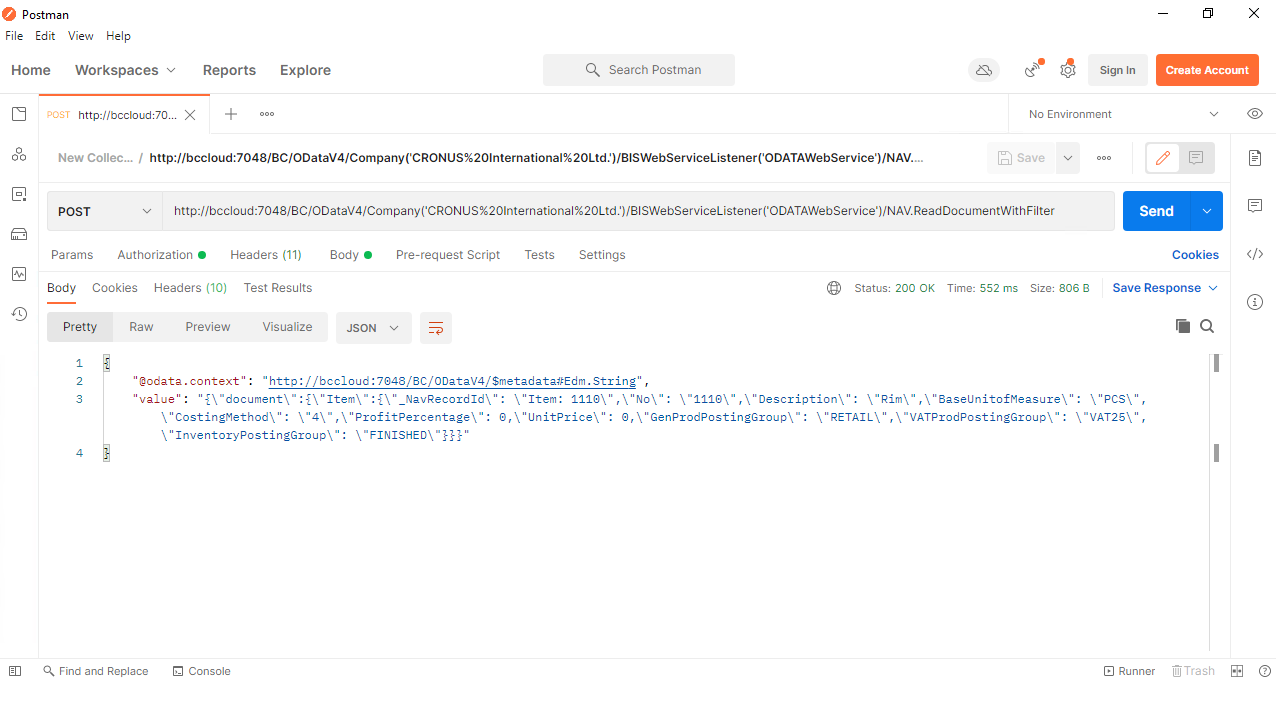
The following example calls method ReadDocumentWithFilter, which exports a set of records from D365 BC based on a given filter.
Headers

Body
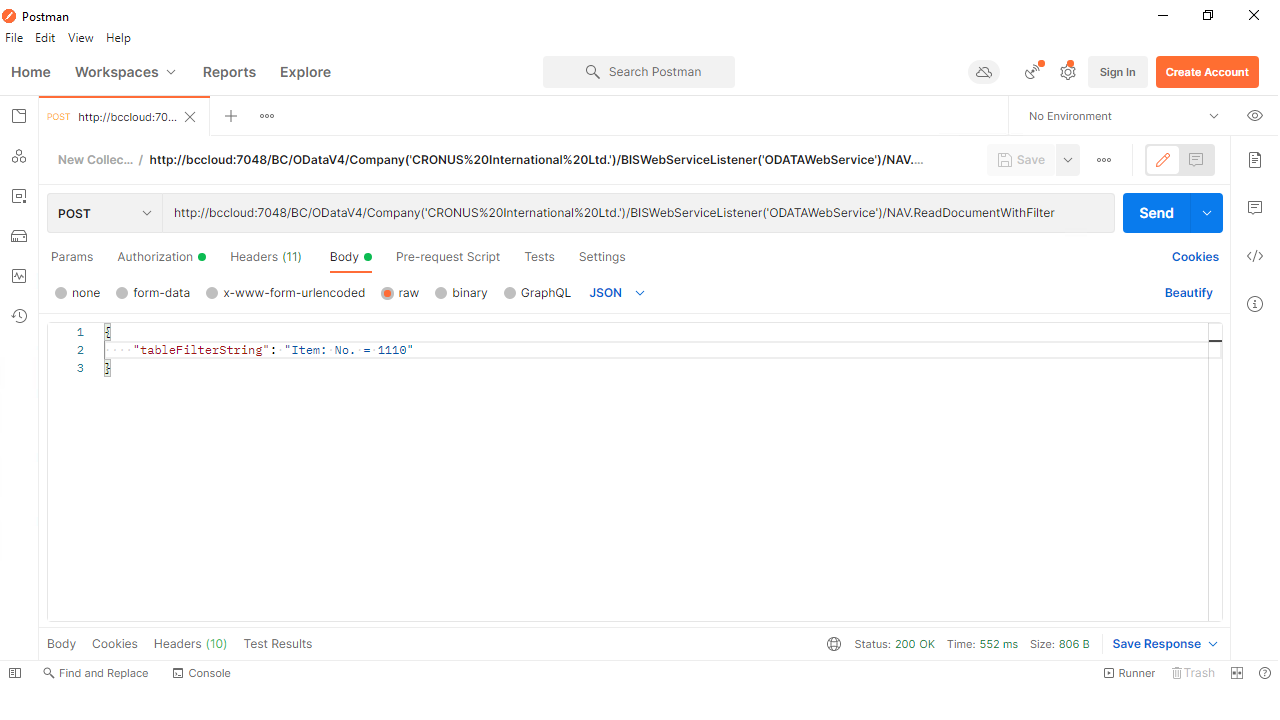
Result
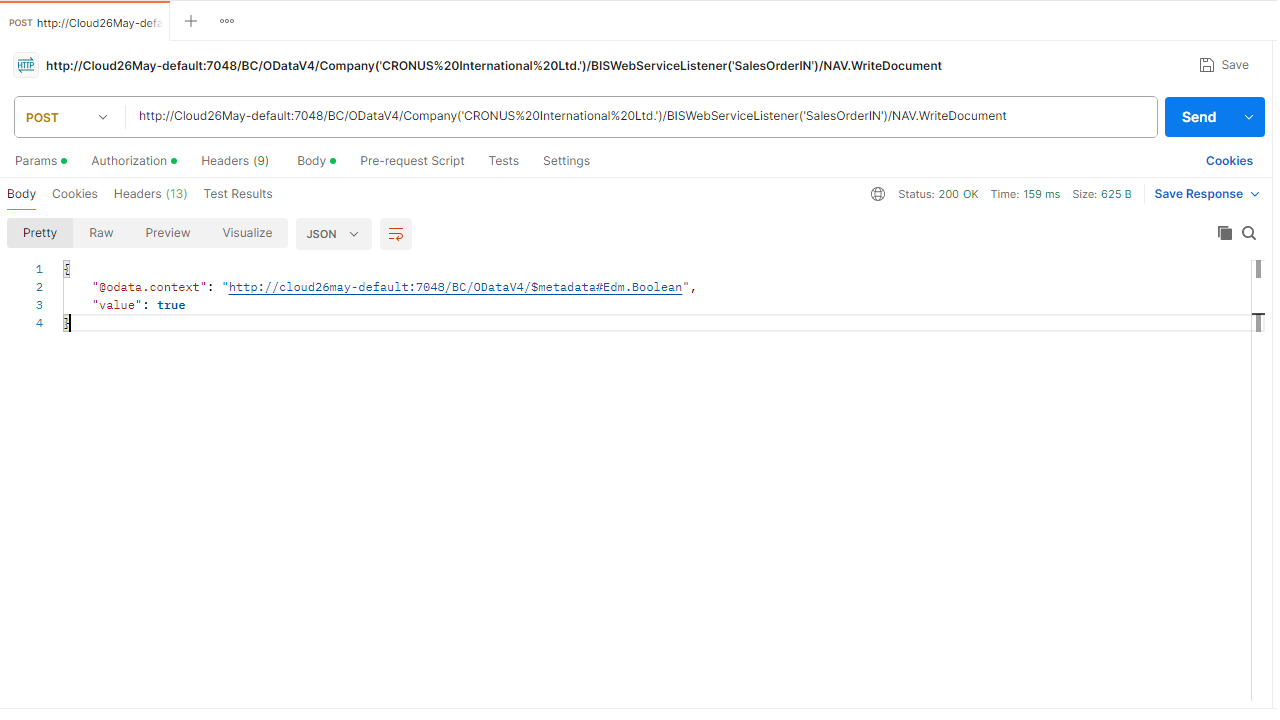
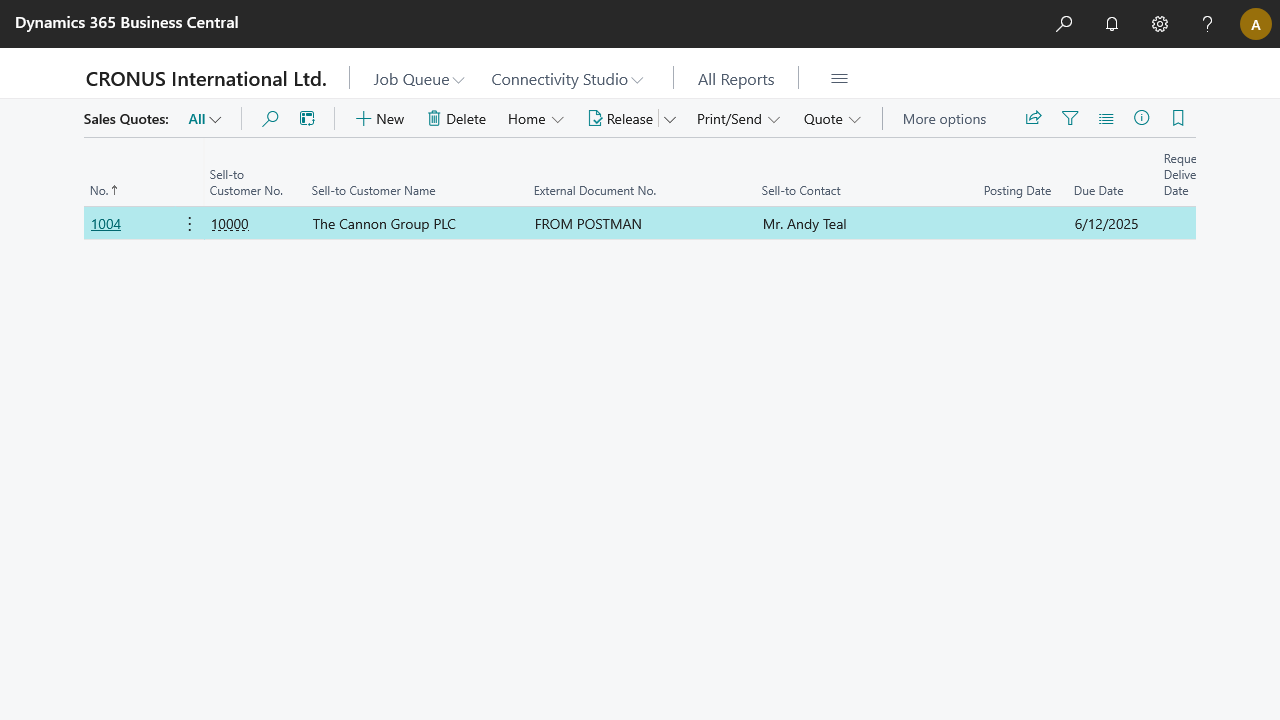
The following example calls method WriteDocument, which feeds the body to a connection that creates sales quotes in D365 BC.
Headers
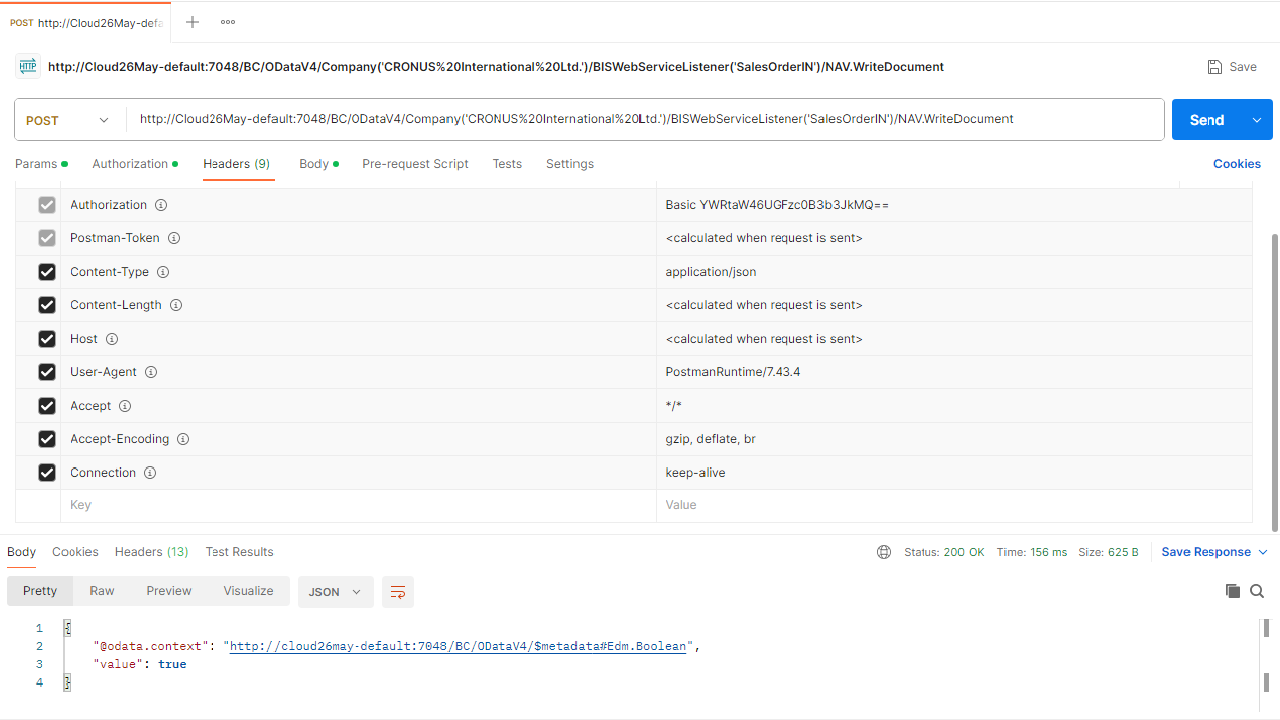
Body
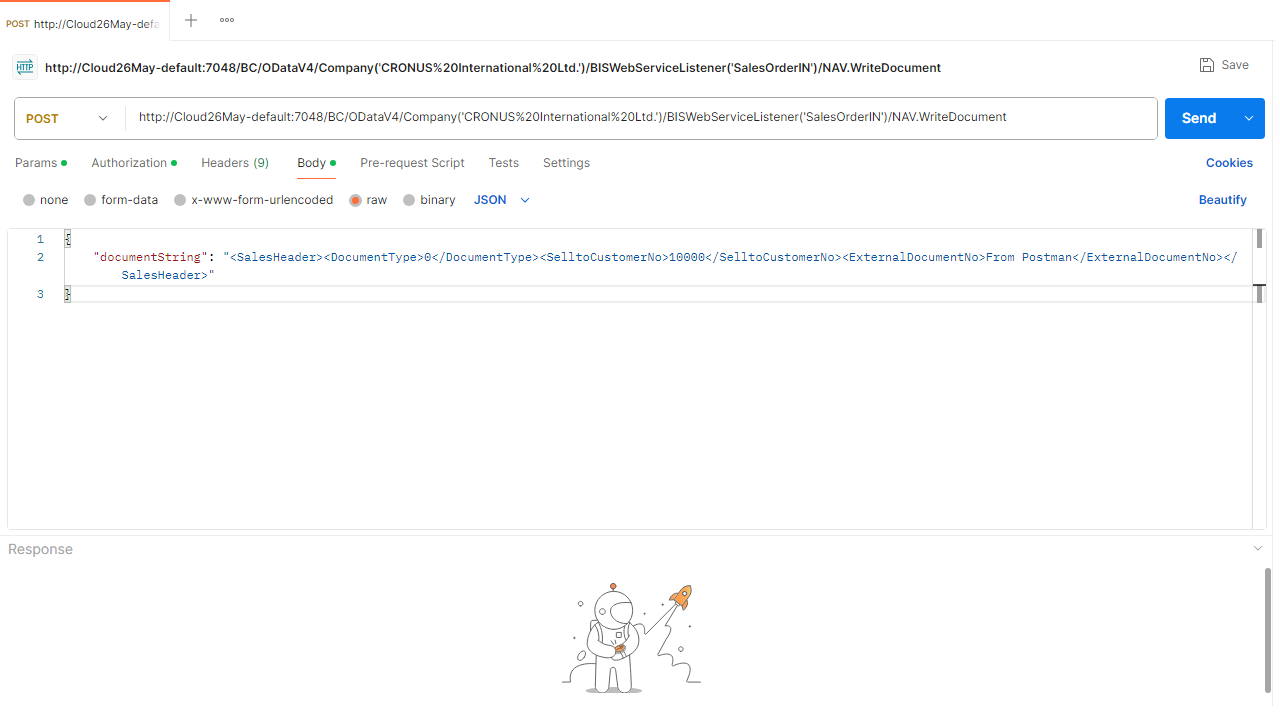
Result (Postman)
Result (BC)
Connection details
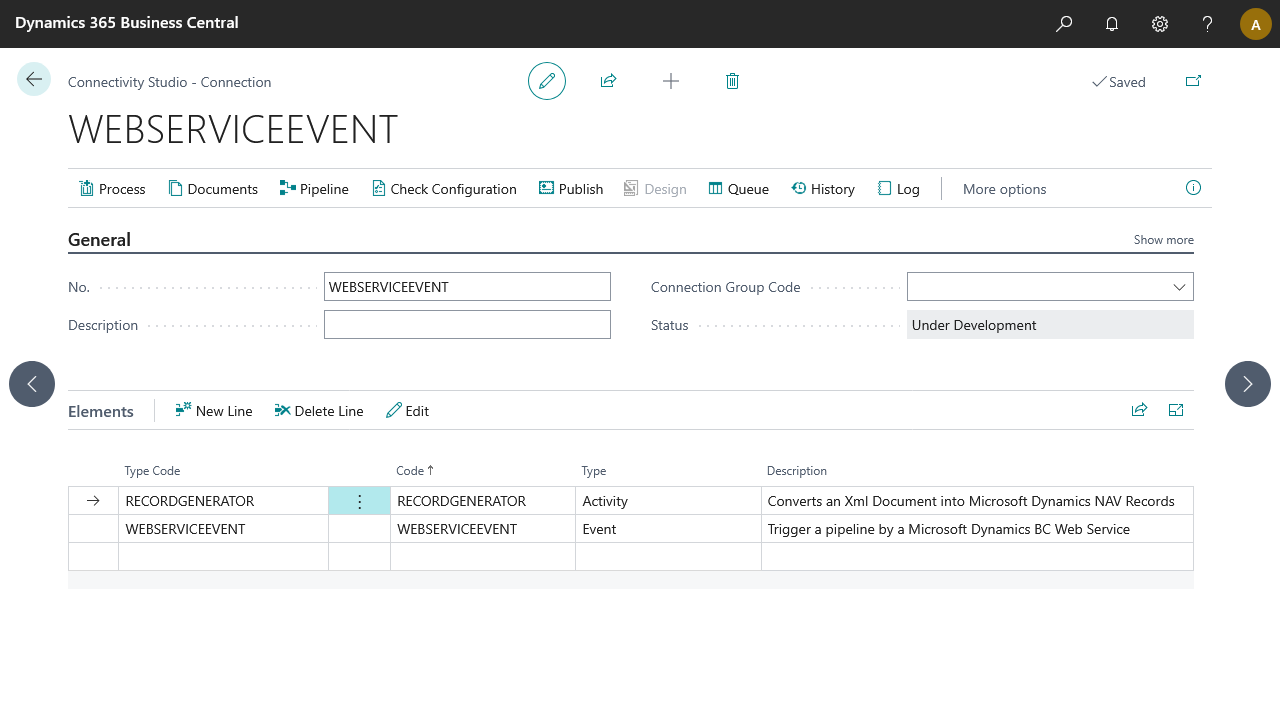
Pipeline: [Web Service Event] ➡️ [Record Generator]