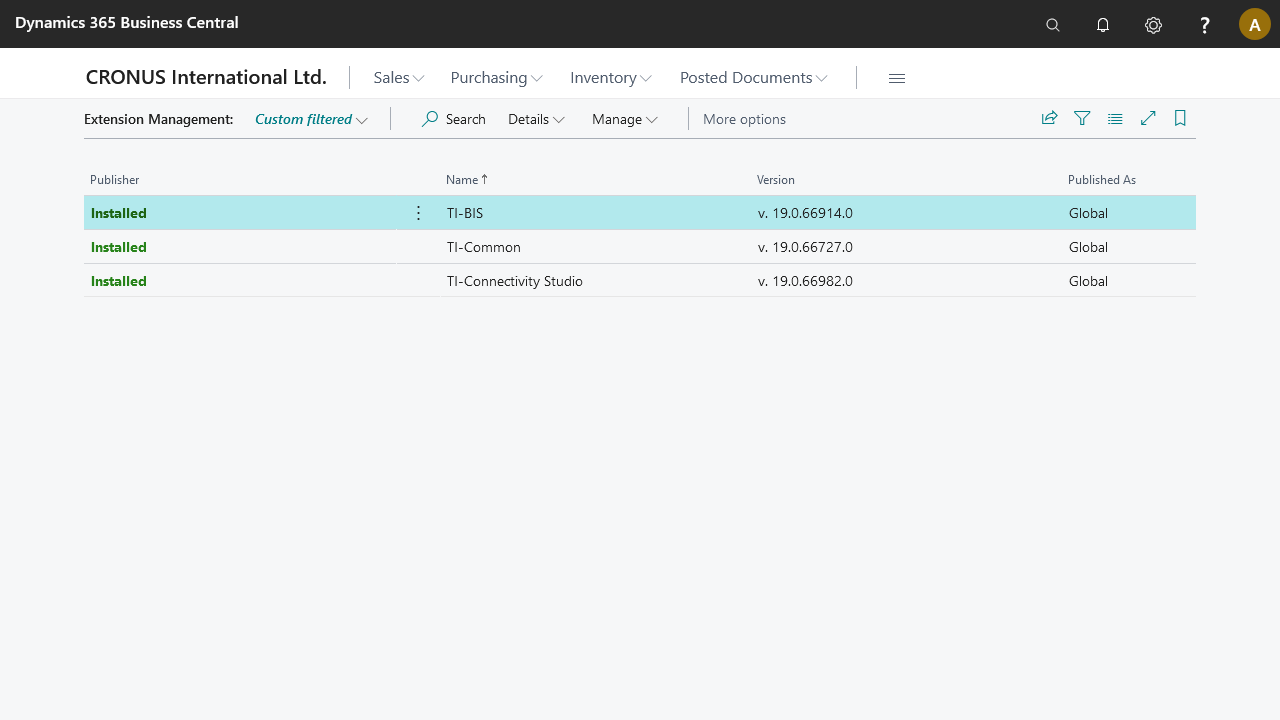
Library apps update issue
STAEDEAN library apps previously had the
_Exclude_prefix. Since the January 2022 release, STAEDEAN renamed these apps and dropped the_Exclude_prefix. Apps from Microsoft Dynamics 365 Business Central version 19 (Fall 2021) onward can update from both the Admin Center and the Admin API. Updating from version 18 to 19 still requires the Admin API.Apps with the
_Exclude_prefix are filtered from the Extension Management page and also from the Admin/Partner Center Extension page.This presented an issue: STAEDEAN library apps cannot update or be maintained by STAEDEAN, partners, or clients in the normal way. Via this path, only one update is forced when a major release installs: which occurs every six months.
The library apps are STAEDEAN Common and STAEDEAN Business Integration Solutions. STAEDEAN aims to rename these apps so they appear in and are managed like all other apps.
Managing apps using Admin Center
For more information on how to manage apps, refer to Managing Apps.
Managing apps using Admin API
Display the installed apps
The first step is to see the installed apps in your online environment. Use a PowerShell script with two steps:
Retrieve a bearer token using OAuth.
For an example, see Authenticate.Use the Admin API to get a JSON list of all installed apps: see the script below for an example.
For more details, see Dynamics 365 Business Central: Install AppSource Apps via Admin Center API.$environmentName = "YourEnvironment"#replace with the environment name$accessToken = "oAuthToken"#replace with the token that you retrieve from Azure$response = Invoke-WebRequest ` -Method Get ` -Uri"https://api.businesscentral.dynamics.com/admin/v2.6/applications/businesscentral/environments/$environmentName/apps" ` -Headers@{Authorization=("Bearer $accessToken")} Write-Host (ConvertTo-Json (ConvertFrom-Json$response.Content))
Update STAEDEAN-Common and Business Integration Solutions
To update STAEDEAN-Common and Business Integration Solutions, you need the IDs of these apps:
STAEDEAN-Common: "3d24078f-27f6-4e56-b448-15adbb4f9858"
Business Integration Solutions: "9b0fdadc-3c4a-4dc4-82bf-6ac1c4bd5d71"
Run the following script to update the required app. Release notes for Business Integration Solutions - SaaS.
$appIdToInstall = "3d24078f-27f6-4e56-b448-15adbb4f9858"#replace with your app id$appTargetVersion = "App target version"$accessToken = "oAuthToken"#replace with the token that you retrieve from Azure$environmentName = "YourEnvironment"#replace with the environment nametry{
    $response = Invoke-WebRequest `
        -Method Post `
        -Uri"https://api.businesscentral.dynamics.com/admin/v2.6/applications/BusinessCentral/environments/$environmentName/apps/$appIdToInstall/update" `
        -Body (@{
            "AcceptIsvEula" = $true"targetVersion" = $appTargetVersion"languageId" = "1033""installOrUpdateNeededDependencies" = $true"useEnvironmentUpdateWindow" = $false
        } | ConvertTo-Json) `
        -Headers@{Authorization=("Bearer $accessToken")} `
        -ContentType"application/json"
}
catch [System.Net.WebException]{
    $Exception = $_.Exception
    $respStream = $Exception.Response.GetResponseStream()
    $reader = New-Object System.IO.StreamReader($respStream)
    $respBody = $reader.ReadToEnd() | ConvertFrom-Json | ConvertTo-Json-Depth100$reader.Close();
    Write-Error$Exception.Message
    Write-Error$respBody-ErrorAction Stop
}
To verify the status of both STAEDEAN-Common and Business Integration Solutions, run the following script:
$environmentName = "YourEnvironment"#replace with your environment name$accessToken = "oAuthToken"#replace with the token that you retrieve from Azure$response= Invoke-WebRequest `
    -Method Get `
    -Uri"https://api.businesscentral.dynamics.com/admin/v2.6/applications/BusinessCentral/environments/$environmentName/apps/$appIdToInstall/operations" `
    -Headers@{Authorization=("Bearer $accessToken")}
Write-Host (ConvertTo-Json (ConvertFrom-Json$response.Content))