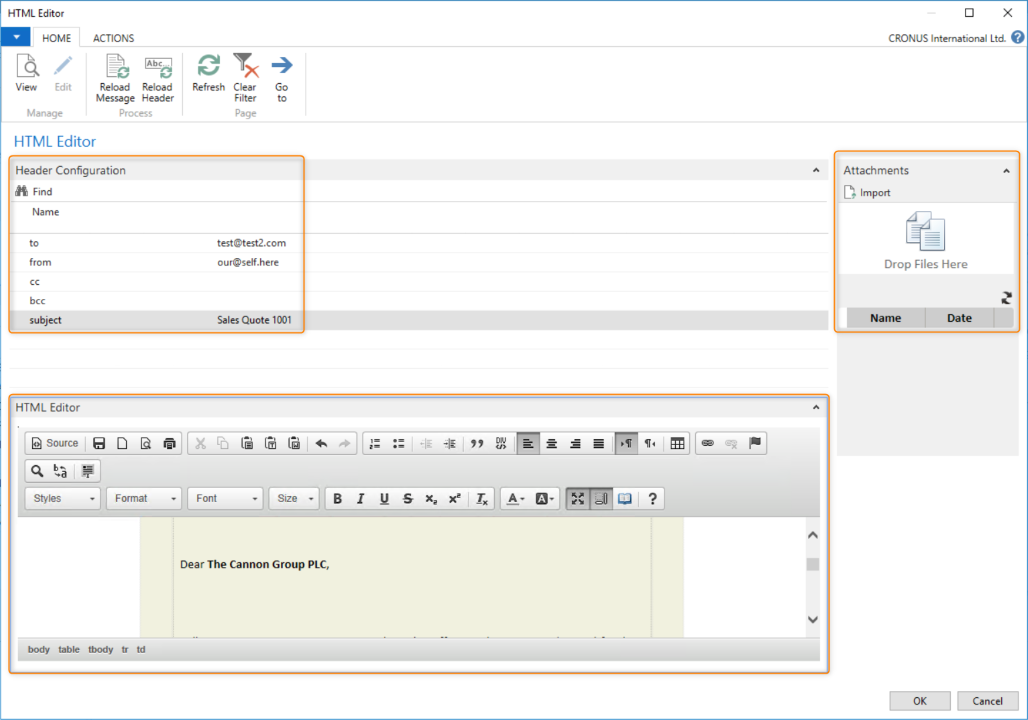
The Message Editor element lets users interact with a message during pipeline processing. It supports the built-in HTML editor and text editor, letting the user modify the created message. Users can modify the header, the body, and add attachments. At runtime, the editor opens and the user can make the necessary adjustments.
Steps
Create a connection and insert the element MESSAGEEDITOR.
On the elements line, select Edit.
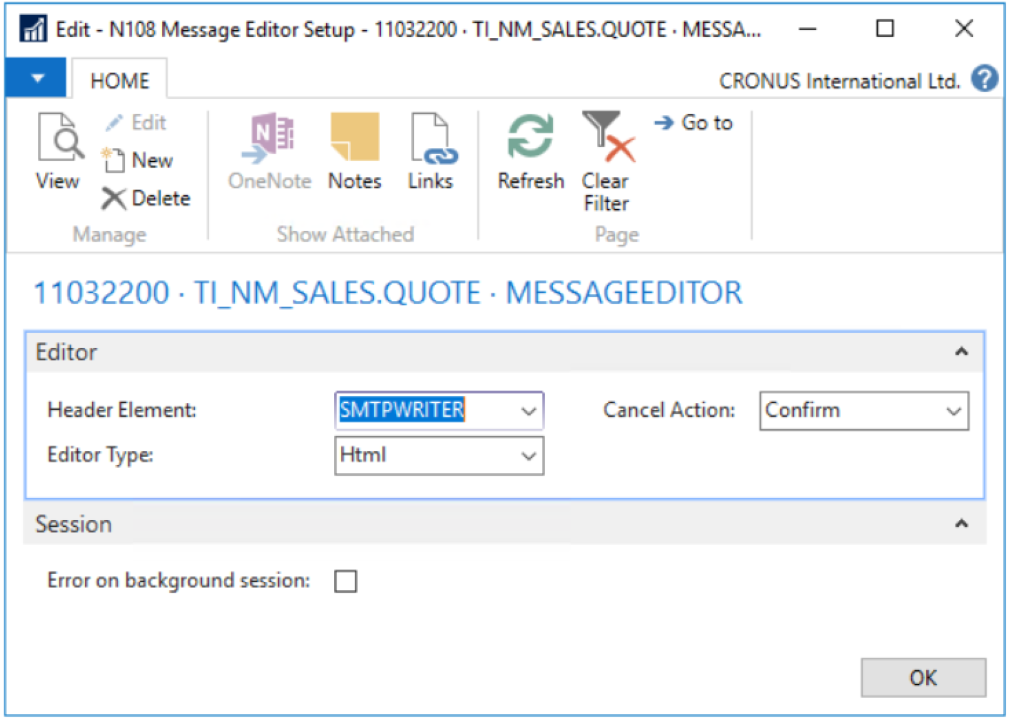
On the Message Editor Setup page, fill in the following fields:
Field
Description
Header Element
Select the endpoint for the pipeline to determine the applicable fields in the runtime editor.
Editor Type
Select Text or HTML.
Cancel Action
Select Confirm, Always Stop, or Always Continue.
Error on background session
When selected, throws an error in background processing when this element is used.
Select Check Configuration to see if there are Anywhere Mobility Solutions configuration errors.
Select OK.