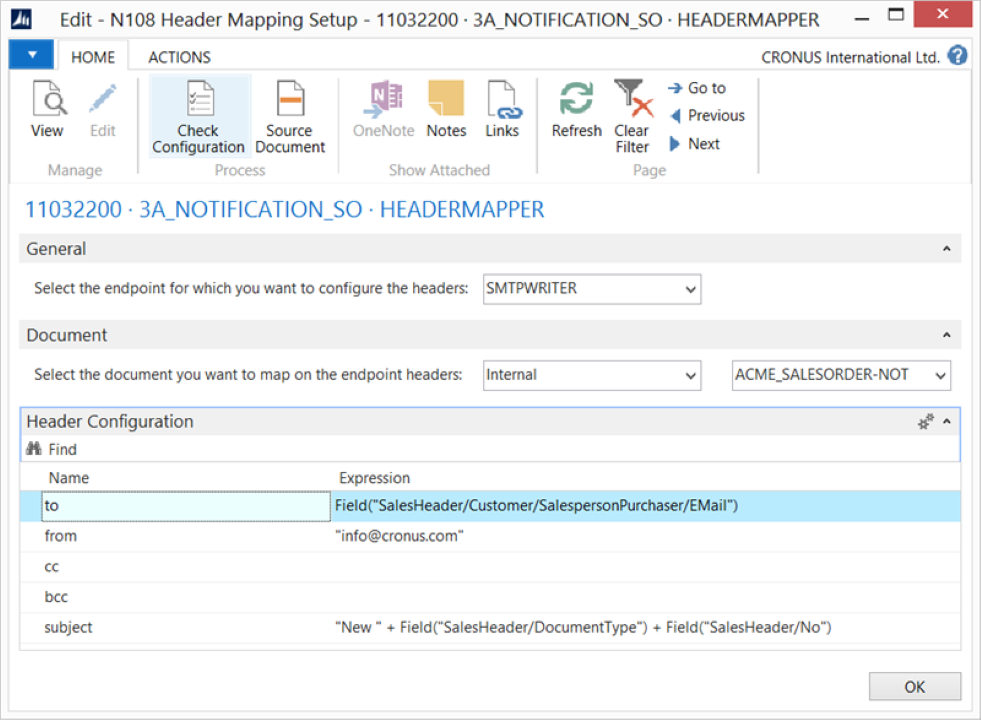
The Header Mapper activity maps a source document to the headers of an endpoint, such as SMTP or Outlook.
To set up the Header Mapper activity, first add an element that has headers defined to export data from Microsoft Dynamics 365 Business Central. Configure this activity in combination with the following elements:
SMTP Writer / Mail Writer
Outlook Writer
Webservice endpoint
Note
More elements may be added or modified to support dynamic setup values in combination with the Header Mapper.
Steps
Create a notification and insert the element HEADERMAPPER.
On the elements line, select Edit.
Select an endpoint for which you want to configure the headers.
Note
Depending on the selected endpoint, specify the fields in the Header Configuration FastTab.
Select the document you want to map to the endpoint headers. Use the assist edit to define the mapping correctly.
For each header field, specify an expression for mapping. Use the assist edit to define the mapping correctly.
Select Check Configuration to see if there are Anywhere Mobility Solutions configuration errors.
Select OK.