Steps
To set up a mobile user:
In the Anywhere Mobility Solutions menu, open Setup > User Management > External Users.
In the Mobile Users page, select New (CTRL+N) in the ribbon to create a new user.
Enter a user code in the User field.
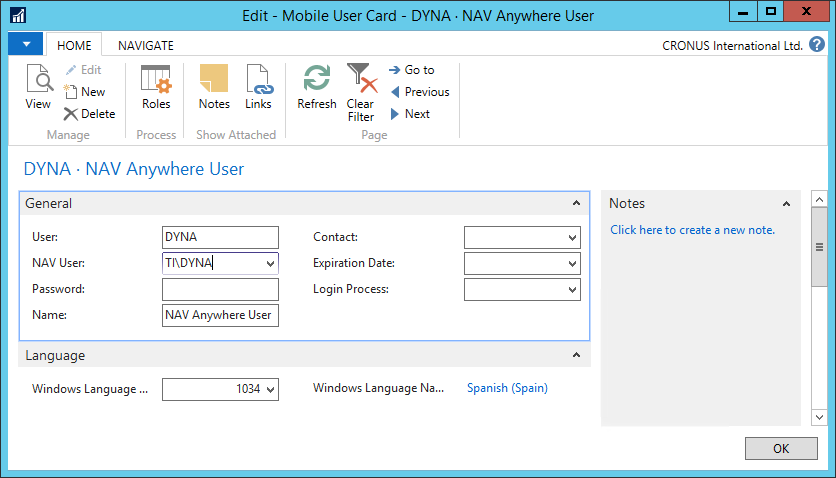
Attach the mobile user to a Anywhere Mobility Solutions user of choice.
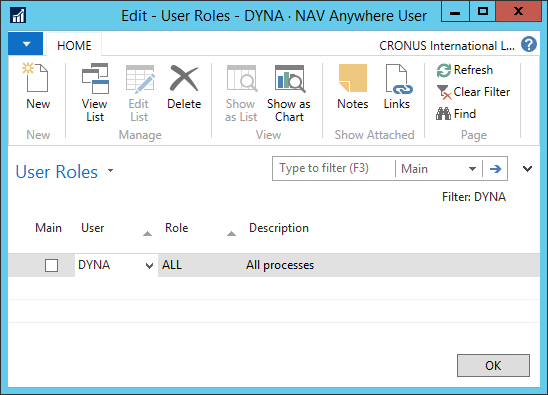
Open the User Roles page by selecting the Roles action.
In the User Roles page, assign roles to the user.
You can assign the mobile user an individual login process. This can be Anywhere Mobility Solutions process (not bound to a menu process).