Note
This applies to on-premise versions only. The cloud version registers automatically during installation.
To get the Anywhere Mobility Solutions product working, register and start the components that are part of the product. Execute the following steps for every database and every company with the customer's Microsoft Dynamics 365 Business Central license.
Registration
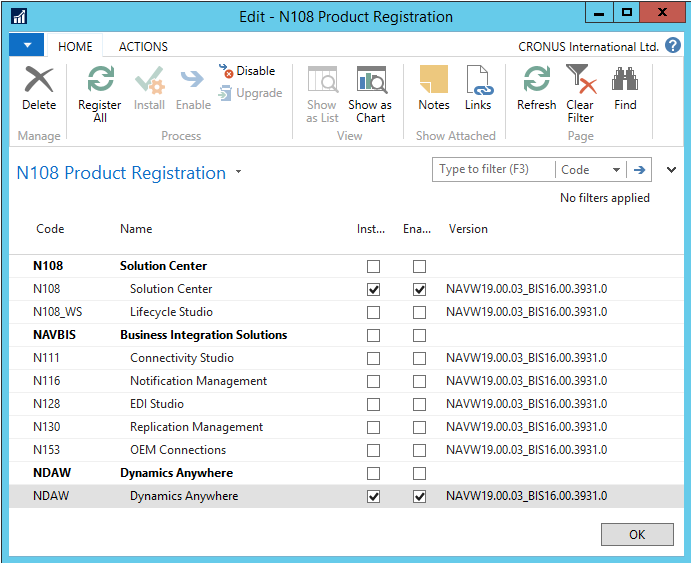
Open the product registration page by choosing Departments > Anywhere Mobility Solutions > Administration > Product Registration.
Select the Register All action.
Be aware that components could already be in use for other applications than the D365 BC Anywhere Framework. These components have the Installed and Enabled fields set to Yes. Do not delete components that other applications use.
Select the line with N108 Solution Center and then select the install and enable actions from the ribbon:
N108 Solution Center
NDAW Anywhere Mobility Solutions
Note
Using the checkmark to enable the product does not affect the status. Only use the ribbon to install and enable.Close the Product Registration page.
Note
The list of registered components appears in the Product Registration page depending on the granule of Business Integration Solutions you are licensed for. When using the Anywhere Mobility Solutions product, the products shown above must be registered and started.
Activation
The activation process for Anywhere Mobility Solutions executes the following steps:
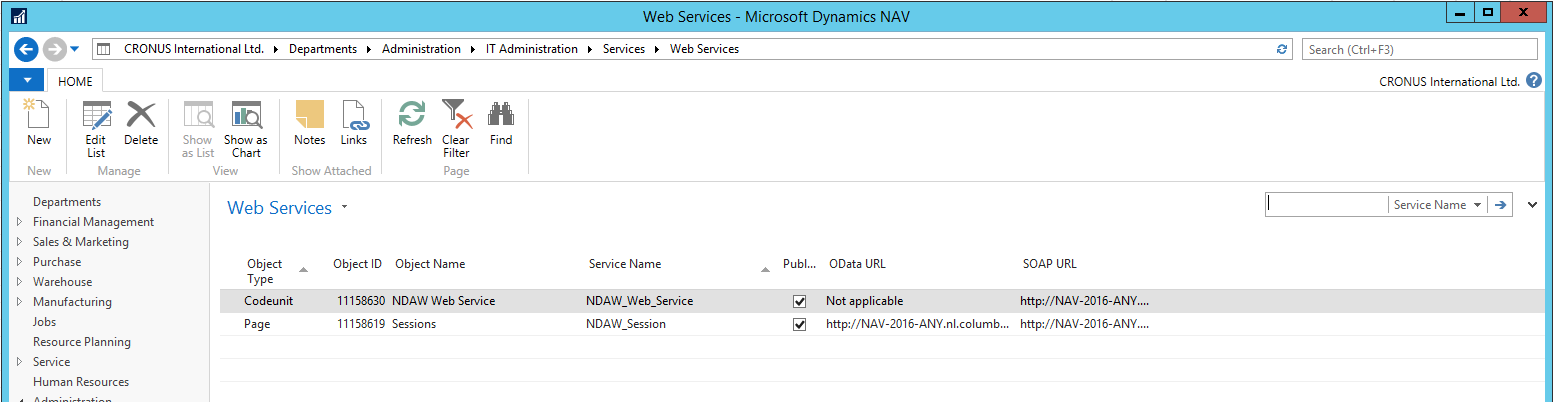
Creates and publishes the web services that communicate with the Anywhere Portal.
Creates two processes of type Menu when no processes exist in the database (Main menu and WMS_menu).
Creates the connections template.
Inserts Main Menu as the default menu in the setup.