---
title: "LiteralHTML example - TextArea"
slug: "bc-literalhtml-example-textarea"
tags: ["Task"]
updated: 2026-06-25T09:59:03Z
published: 2026-06-25T09:59:03Z
canonical: "docs.staedean.com/bc-literalhtml-example-textarea"
---
> ## Documentation Index
> Fetch the complete documentation index at: https://docs.staedean.com/llms.txt
> Use this file to discover all available pages before exploring further.
# LiteralHTML example - TextArea
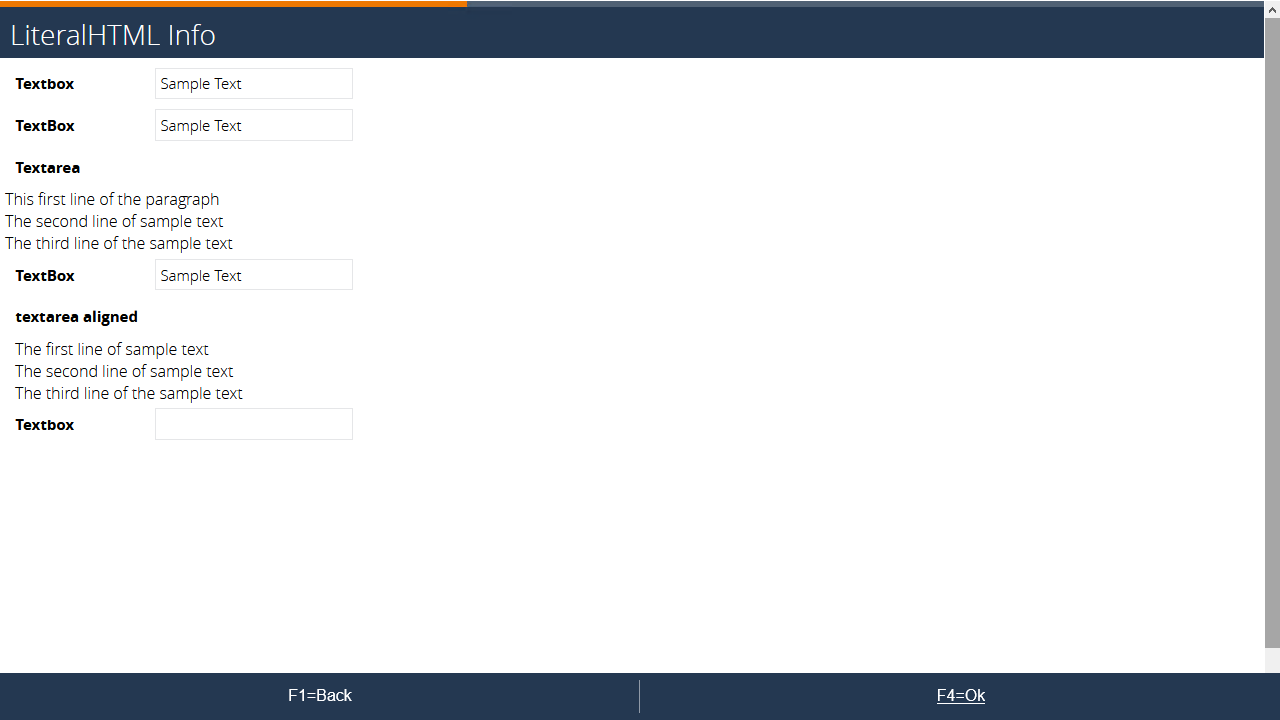
A textarea or paragraph can contain a large amount of text across multiple lines.
Because there is no inherited styling, alignment can be off. Handle this by adding the style in the expression of the control.
#### Example
#### Setup
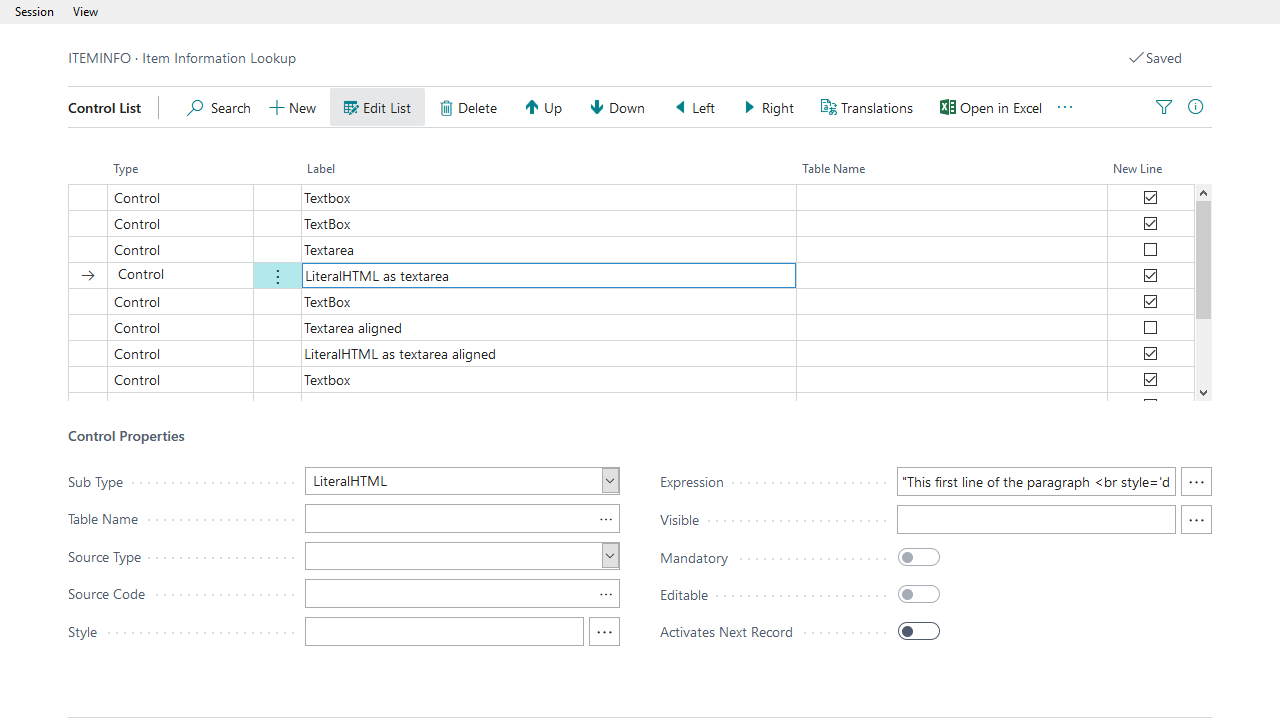
Expression of textarea:
```plaintext
"This first line of the paragraph
The second line of sample text
The third line of the sample text"
```
Expression of textarea aligned:
```plaintext
"The first line of sample text
The second line of sample text
The third line of the sample text
"
```
This adds styling in a native HTML div control.
#### Known issues
An issue exists where the `<br/>` does not display. The current workaround is to use `<br style='display:inherit'>`.
When you encounter this issue, update the Portal software.
## Related
- [Control sub type - LiteralHTML](/bc-control-sub-type-literalhtml.md)