Configure IIS
Enable the following roles and features in Server Manager (Administrative Tools. Server Manager).
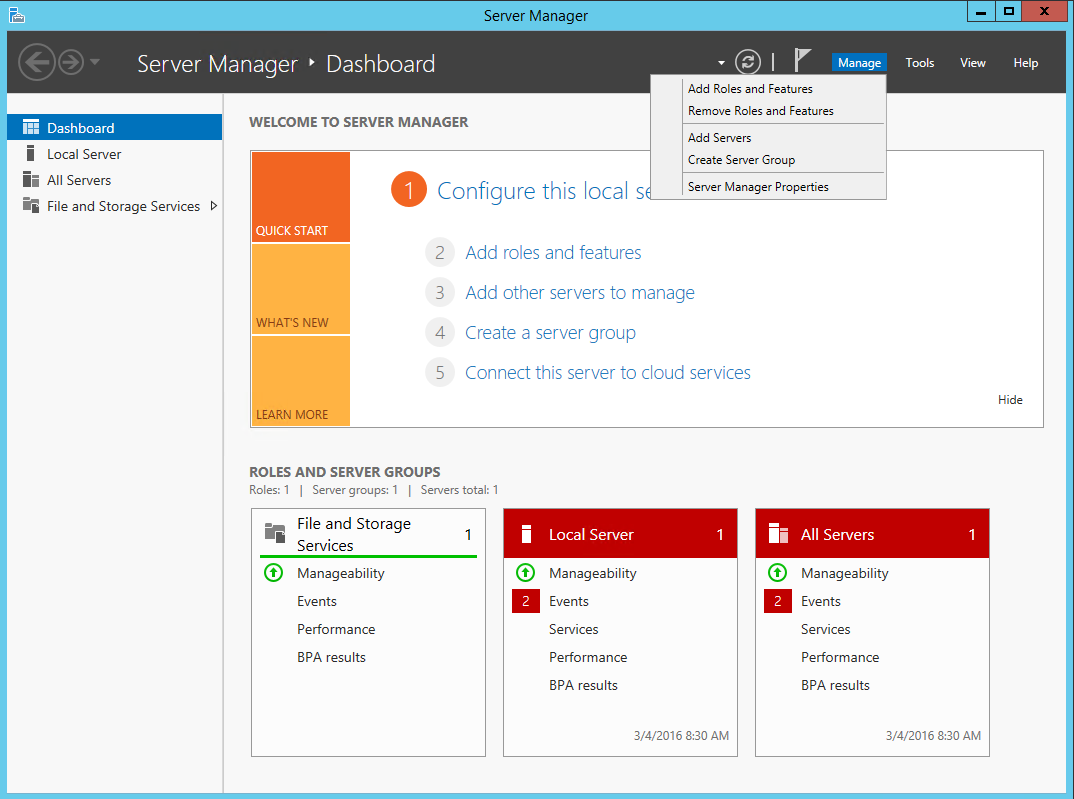
Enable roles
Select Manage, select Add Roles and features, and select Next.
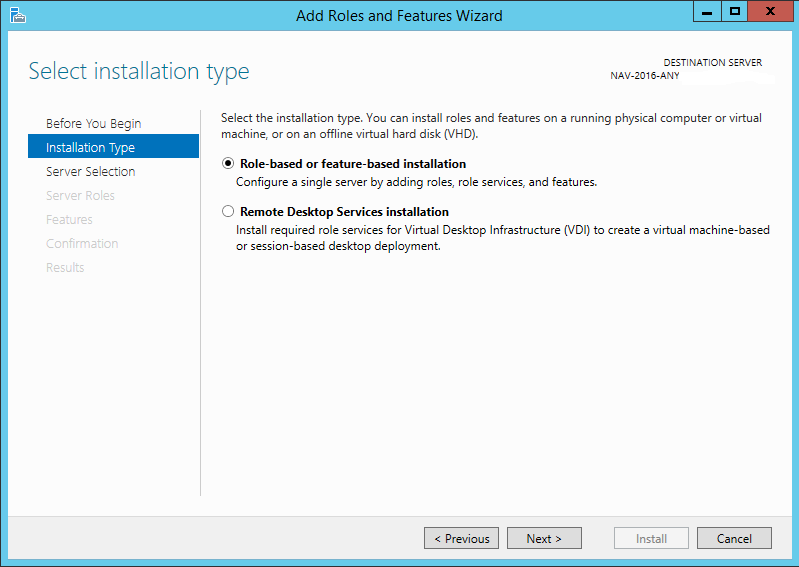
Select the Role-based or feature-based installation option and select Next.
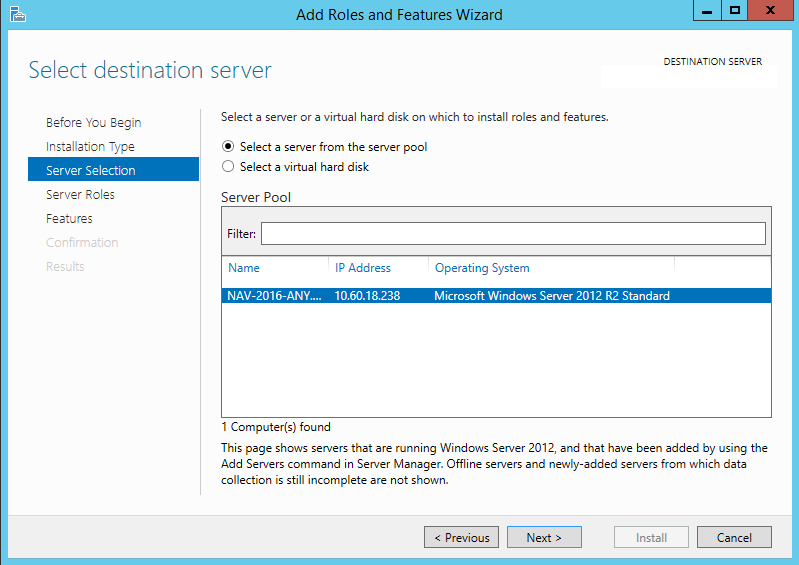
Select the server on which you want to install IIS and select Next.
Select Web Server (IIS).
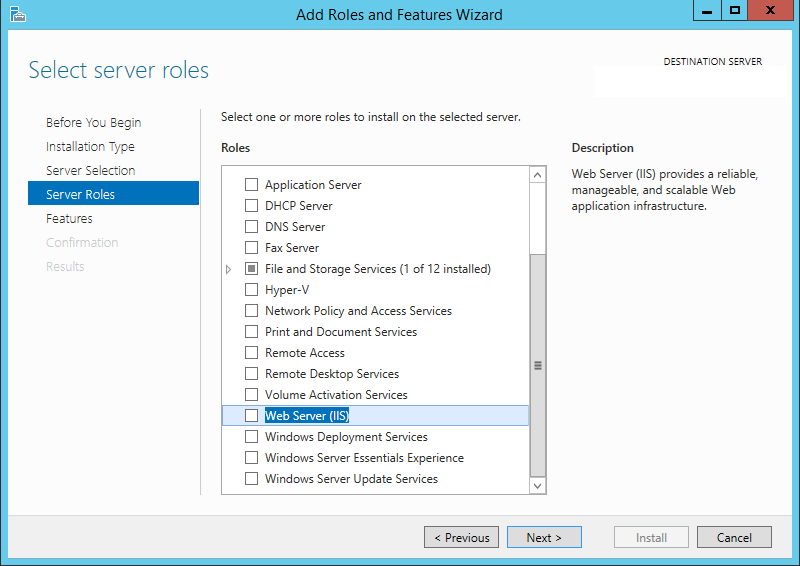
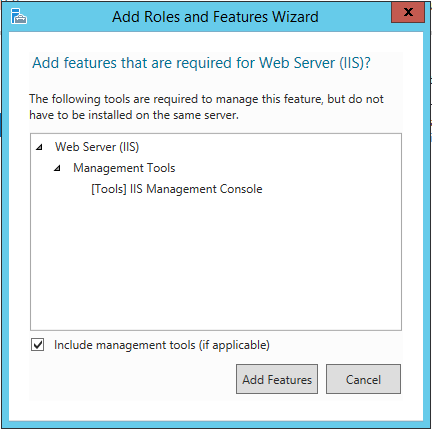
Accept the prompt to add dependencies and select Next.
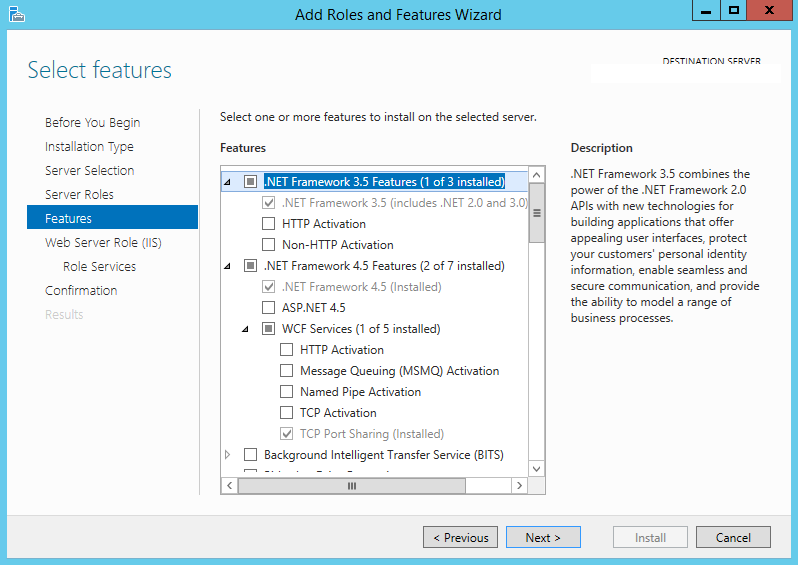
Enable the following options.
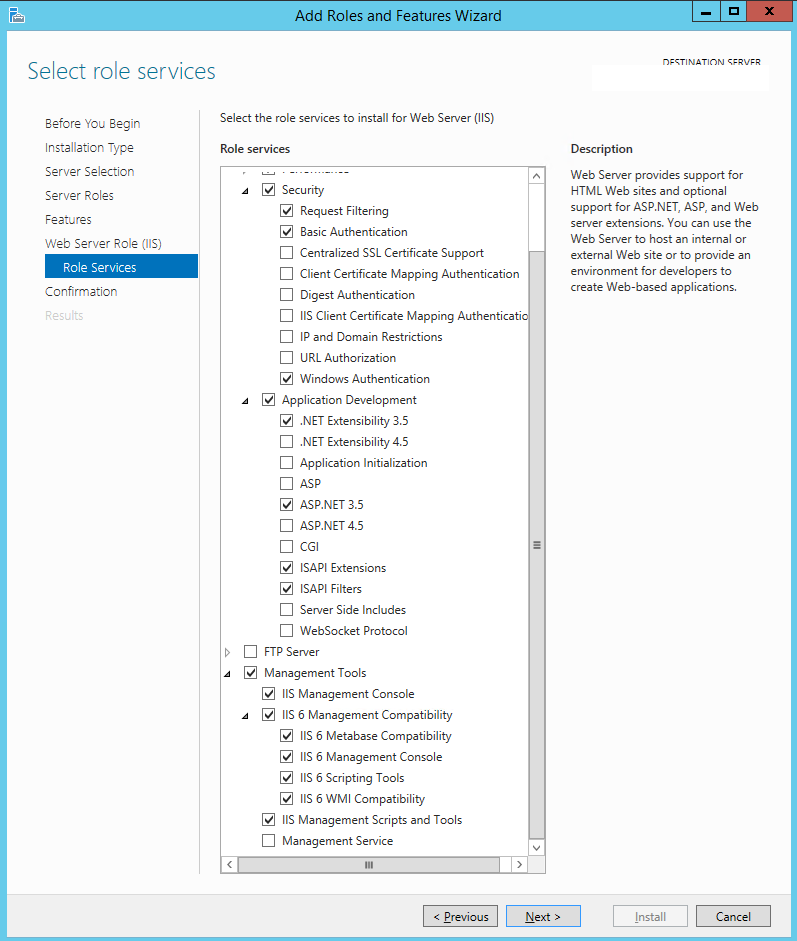
Enable the following Role Services:
Web Server
Security
Basic Authentication
Windows Authentication
Application Development
ASP.NET 3.5
ASP.NET Extensibility 3.5
Management tools
IIS Management Console
IIS 6 Management Compatibility
IIS 6 Metabase compatibility
IIS 6 Management Console
IIS 6 Scripting tools
IIS 6 WMI Compatibility
IIS Management Scripts and Tools
Finish the installation.