Use this task to export a compressed (.zip) configuration package from Microsoft Dynamics 365 Business Central.
Steps
Depending on the solution, open:
Connections for Connectivity Studio and select an existing connection.
Notifications for Notification Management and select an existing notification.
Publications or Subscriptions for Replication Management and select an existing publication or subscription.
EDI Studio Connections for EDI Studio and select an existing EDI Studio connection.
Select a connection, notification, publication, or subscription, then select the Export Configuration action.
Select a location where you want to save the compressed (.zip) configuration package.
Configurations export using EN-US local settings. Local language settings are not supported.
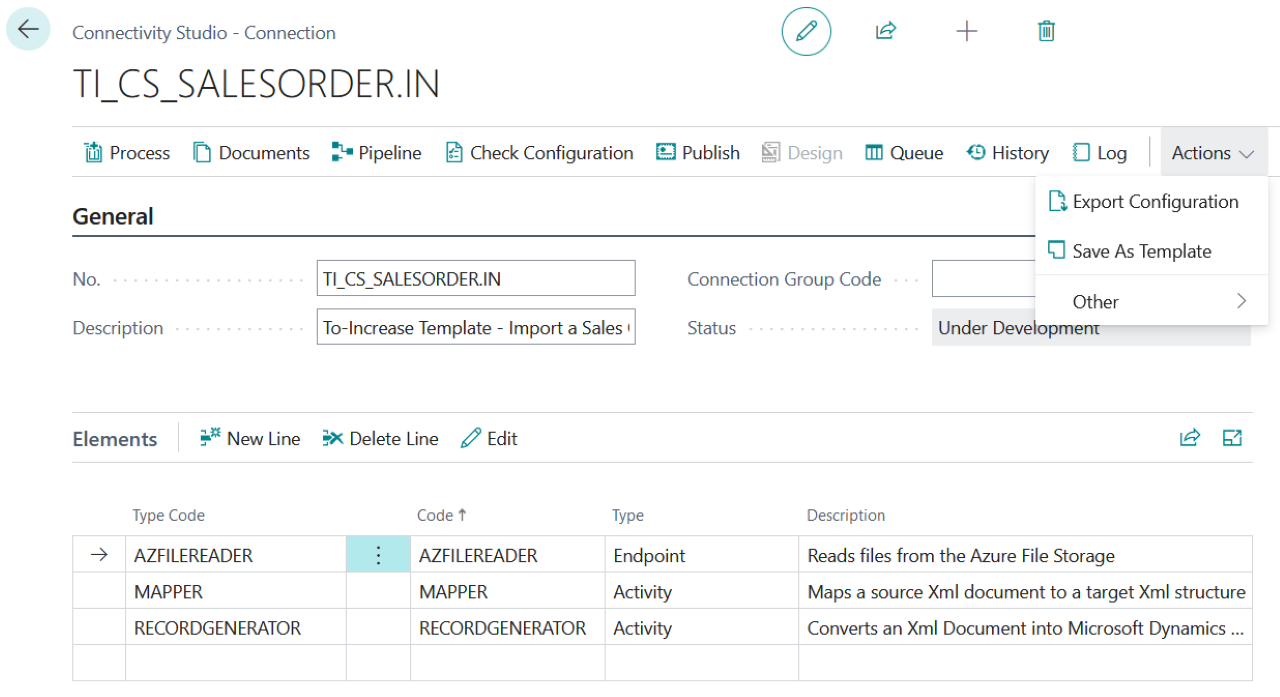
Example of exporting a configuration in Connectivity Studio.