This task explains the Transaction type functionality in Business Integration Solutions.
Data from Microsoft Dynamics 365 Business Central is often exported with changes. Based on the type of change (Insert, Modify, Delete, or Rename) you may want to take further actions.
Business Integration Solutions has a built-in Transaction type functionality. The data source manager receives the record change type information. To find the type of change, check the value in the NAVRecordChangeType property of the message at the receiving end.
Note
The XML Generator activity includes the value of this property as an optional attribute.
Transaction types
The following table illustrates the various transaction types and their meaning:
D365 BC Record Change Type | Description |
|---|---|
Insert | A new record was inserted. |
Delete | An existing record was deleted. |
Modify | An existing record was modified. |
Delete and Insert | If the primary key of an existing record is renamed, the system treats it as a delete and an insert operation. The exported message shows the old record as deleted and the new record as inserted. |
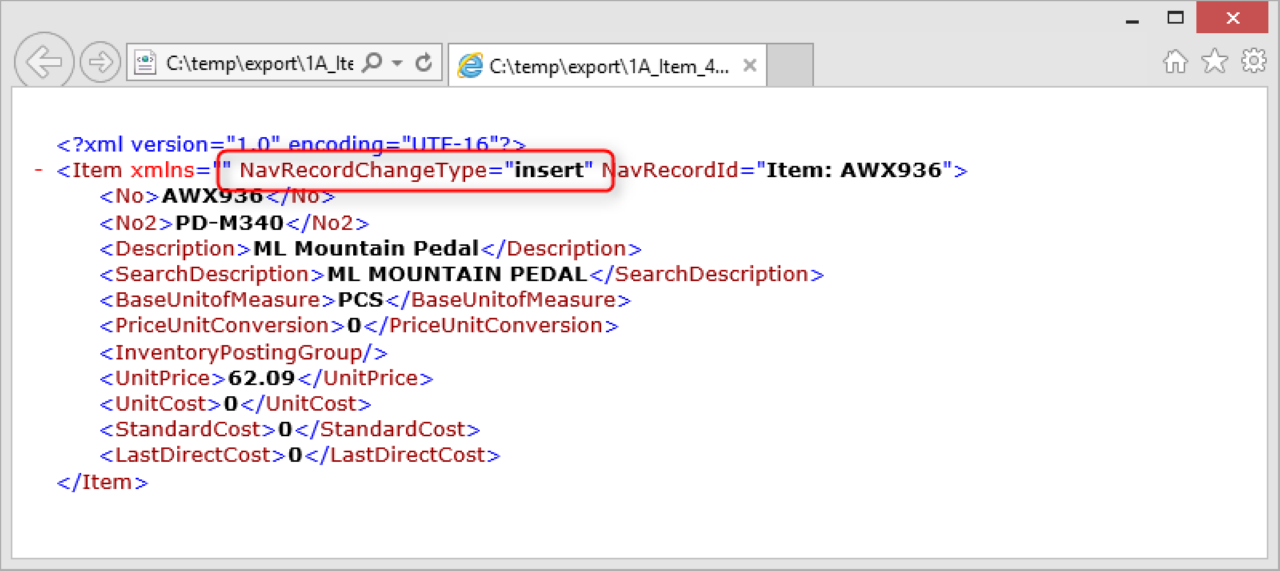
Example
Create an internal document to export item data.
Based on the document, create a simple connection with a Record Change Event, XML Generator, and a File Writer endpoint as shown in the example.
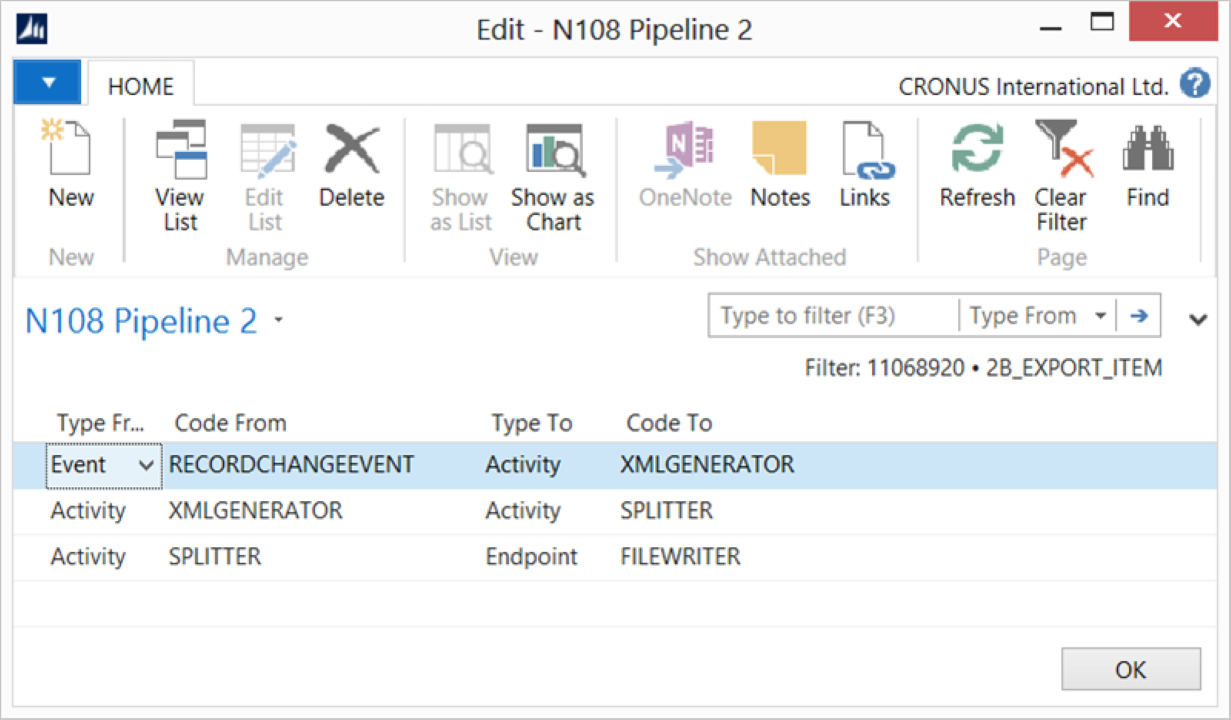
Select all log options (Log Insert, Log Modify, Log Delete, and Log Rename) for the Record Change Event.
On the Item list page, perform the following actions and process the connection after each action to view the results:
Action
Example
Result
Create a new item.
Item No.: 70061; Description: Item Series 01.
A file exports with
NavRecordChangeType = insert.Delete an existing item.
Delete item 70061 created in the previous step.
A file exports with
NavRecordChangeType = delete. Note that only primary key details are available.Modify an existing item.
Change the description of Item No.: 70001 (Base).
A file exports with
NavRecordChangeType = modify. Note the modifications.Rename the primary key of an existing item.
Rename Item No.: 70000 (Side Panel). Change the No. to: M_70000.
A file exports with
NavRecordChangeType = deletefor Item No. 70000 andNavRecordChangeType = insertfor Item No. M_70000.With the Transaction Type functionality, you can check the message at the receiving end and determine the type of transaction.