The Azure File Writer endpoint writes files to Azure File Storage. The message uploads to the specified location with the specified file name in the message encoding. The file locks during upload.
An Azure File Storage account can contain several file shares (locations where) files trigger from or send to. Before using this element, an Azure File Storage account must be available. For a brief guide, see Storage Account Setup.
Set up the File Writer endpoint
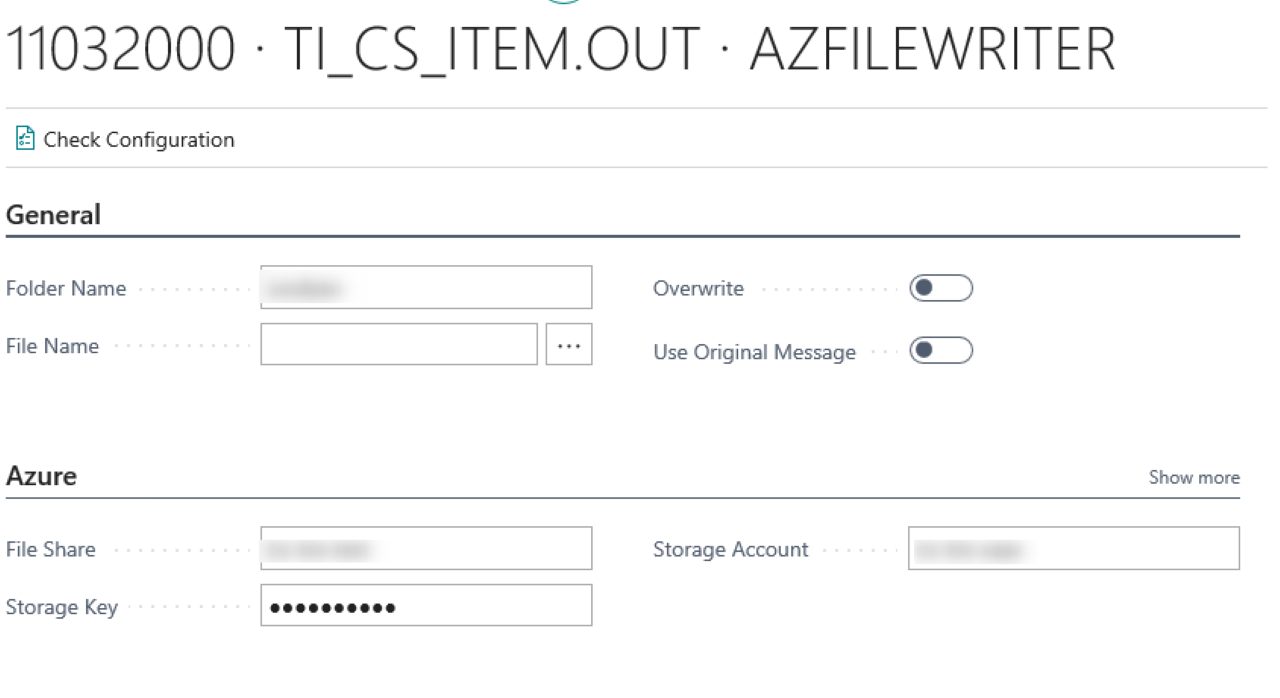
Field | Description |
|---|---|
Folder Name | The folder path to write to. see Azure Storage account setup Step 6. |
File name | Specify a file name format. The file name format can be a mix of static and dynamic content. Set the extension manually. |
Overwrite | When enabled and a file with the same name exists, the existing file is overwritten. When disabled, the message fails to complete. |
Use Original message | Instead of writing the message at its current state in the pipeline, writes a copy of the triggering message (when applicable). Use this to store a copy of the incoming message for administration purposes. |
File share | The file share on the Azure storage to write to. |
Security Profile | The profile that provides access to an external interface. To set up a security profile, refer to Setup Security Profile. |
Storage account | The storage account from Azure Storage account setup. |
Storage key | The storage key used to access the directory. This setting does not export when you export the connection. |
HTTP actions
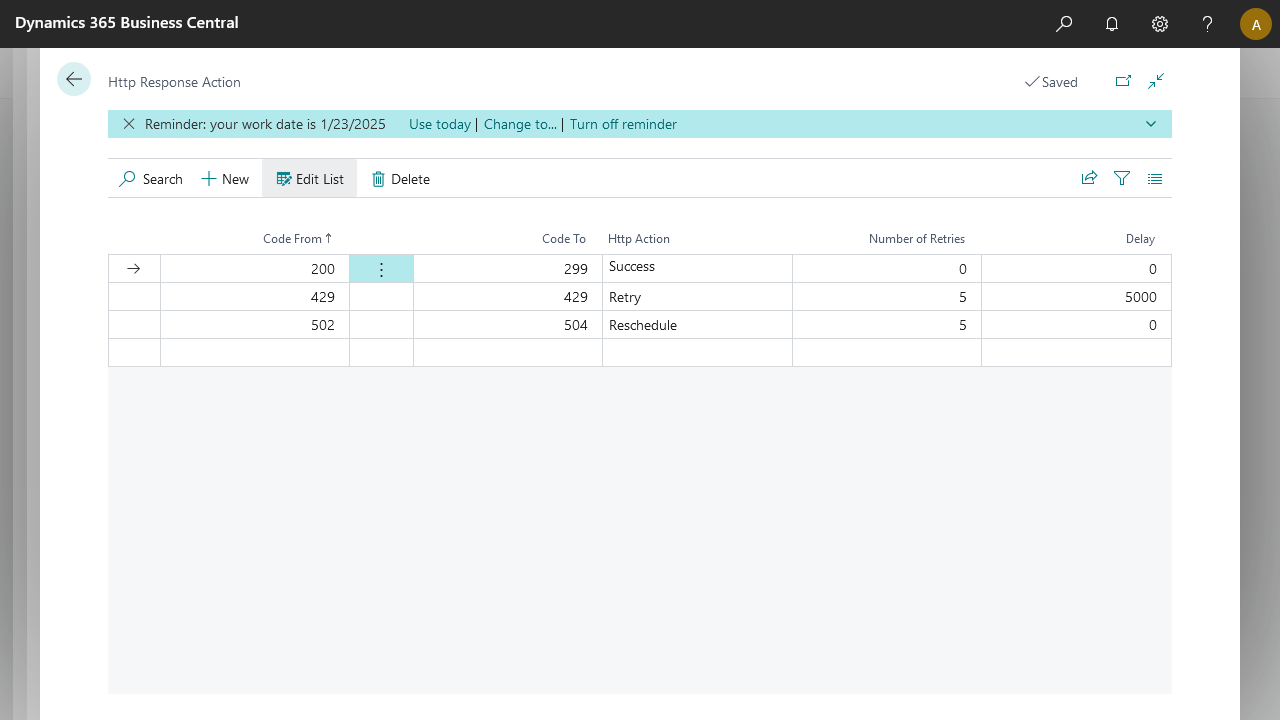
The HTTP Actions page lets you set up specific actions that an Azure File Writer endpoint takes based on the code returned by the call. When an Azure File Writer endpoint is set up and configured, select Restore defaults to create default values in this setup table. You can then modify these actions based on your connection needs.
Default setup
Code From | Code To | HTTP Action | Number of Retries | Delay |
|---|---|---|---|---|
200 | 299 | Success | ||
429 | 429 | Retry | 5 | 5000 |
502 | 504 | Reschedule | 5 |
Property | Usage | Observation |
|---|---|---|
Code From | Defines the starting point of the HTTP code interval. | Accepted values: 100–599. |
Code To | Defines the ending point of the HTTP code interval. | Accepted values: 100–599. Must be greater than or equal to Code From. |
HTTP Action | Action to take if the response code falls in the defined interval. | Available options: Success, Retry, Reschedule, and Error. |
Number of Retries | The number of times to apply the action. | Works with Retry or Reschedule. |
Delay | The number of milliseconds to wait before applying the action. | Works with Retry only. |
HTTP Action | Behavior |
|---|---|
Success | Ends the Azure File Writer endpoint with a successful message and logs the reply from the call. |
Retry | Applies a delay if one is set and tries the call again for the number of retries set. |
Reschedule | Sets the message back to waiting, to be picked up on the next job queue handler run. The action retries based on the number of retries. |
Error | Sets the message to an error state and logs the reply from the call. |
Note
Make sure the folders exist on the file share. The file share name itself is not part of the folder path.