The Azure File Reader endpoint reads files from Azure File Storage. The defined folder polls periodically for new files. When a file is detected, the endpoint creates a new message from the file.
An Azure File Storage account can contain several file shares, which are locations where files trigger from or send to. Before using this element, an Azure File Storage account must be available. For a brief guide, see Azure Storage account setup.
Setup page
Field | Description |
|---|---|
Folder Name | The folder path to monitor (see Azure Storage account setup Step 6). Make sure the folders exist on the file share. The file share name itself is not part of the folder path. |
File filter | The file name filter. You can use a simple pattern with a wildcard; for example, |
Leave Files on File System | When selected, files in the file system are not deleted after processing. |
Read New Files Only | When selected, only new files are read. |
Use Regex in File Filter | When enabled, you can use regular expressions in the File Filter field. Note that the |
File share | The file share on the Azure storage to read from. |
Security Profile | The profile that provides access to an external interface. To set up a security profile, refer to Setup Security Profile. |
Storage account | The Azure storage account identifier. |
Storage key | The storage key used to access the directory. This setting does not export when you export the connection. |
Last Processed at | Populated automatically. |
Process with Job Queue | Select this field to process the Azure File Reader endpoint using a separate job queue entry. |
Job Queue Category Code | Specifies the code of the job queue category to which the job queue entry belongs. Select the field to choose a code from the list. When a job queue category code is defined, messages for this connection run in a serial manner. |
HTTP actions
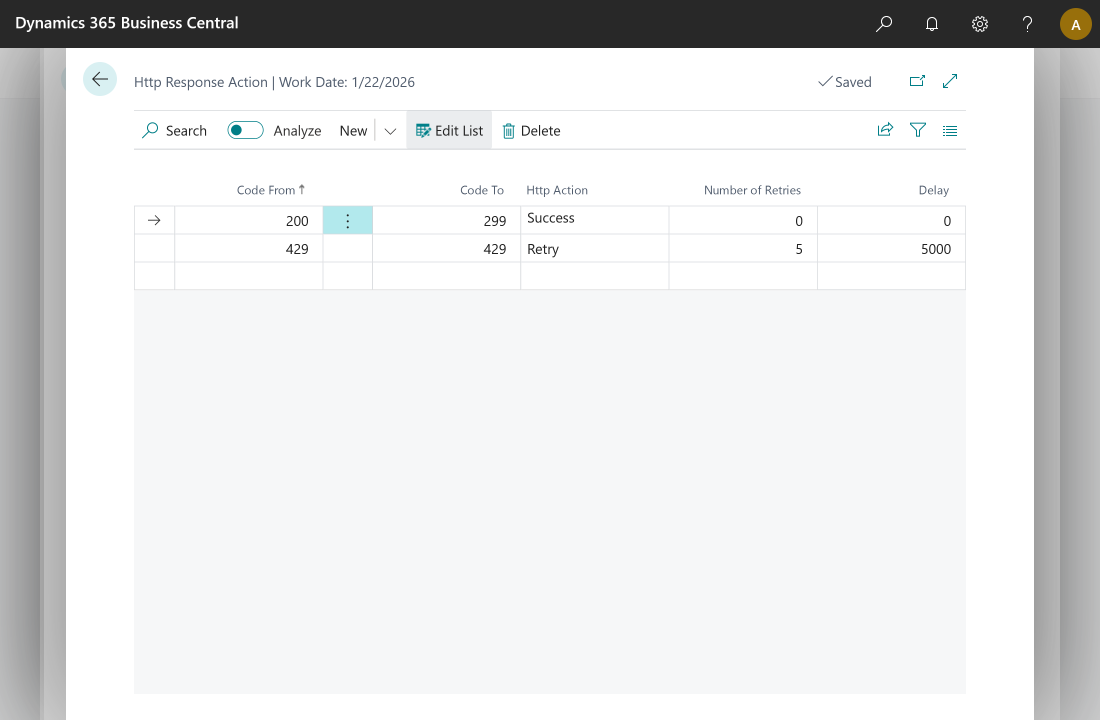
The HTTP Actions page lets you set up specific actions that an Azure File Reader endpoint takes based on the code returned by the call. When an Azure File Reader endpoint is set up and configured, select Restore defaults to create default values in this setup table. You can then modify these actions based on your connection needs.
Default setup
Code From | Code To | HTTP Action | Number of Retries | Delay |
|---|---|---|---|---|
200 | 299 | Success | ||
429 | 429 | Retry | 5 | 5000 |
Property | Usage | Observation |
|---|---|---|
Code From | Defines the starting point of the HTTP code interval. | Accepted values: 100–599. |
Code To | Defines the ending point of the HTTP code interval. | Accepted values: 100–599. Must be greater than or equal to Code From. |
HTTP Action | Action to take if the response code falls in the defined interval. | Available options: Success, Retry, and Error. |
Number of Retries | The number of times to apply the action. | Works with Retry only. |
Delay | The number of milliseconds to wait before applying the action. | Works with Retry only. |
HTTP Action | Behavior |
|---|---|
Success | Ends the Azure File Reader endpoint with a successful message and logs the reply from the call. |
Retry | Applies a delay if one is set and tries the call again for the number of retries set. |
Error | Sets the message to an initial state and rolls back to the error state. |