Find information on Release 1.0.0.77 (January 2026) of Rental Mobile Operations - Transportation app.
New or changed features in Release 1.0.0.77 (January 2026) of Rental Mobile Operations - Transportation app.
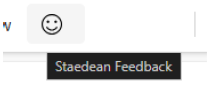
STAEDEAN InApp feedback has been added to the Rental Mobile Operations Field Service App. And can be used by the user to share its feedback.
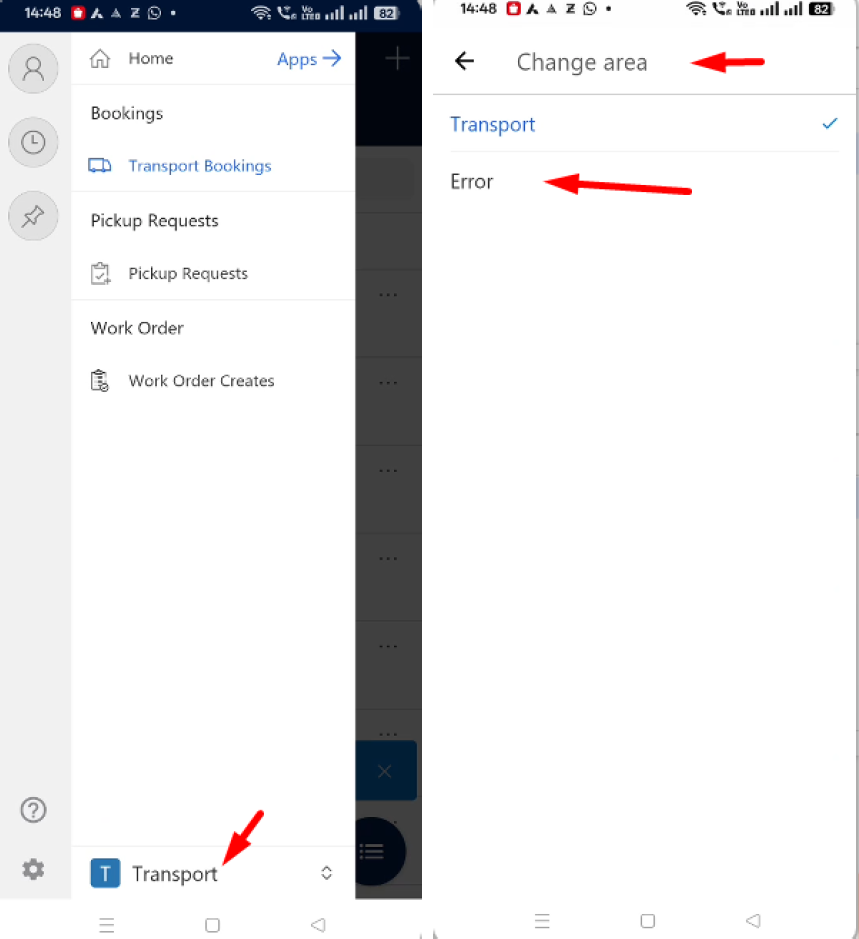
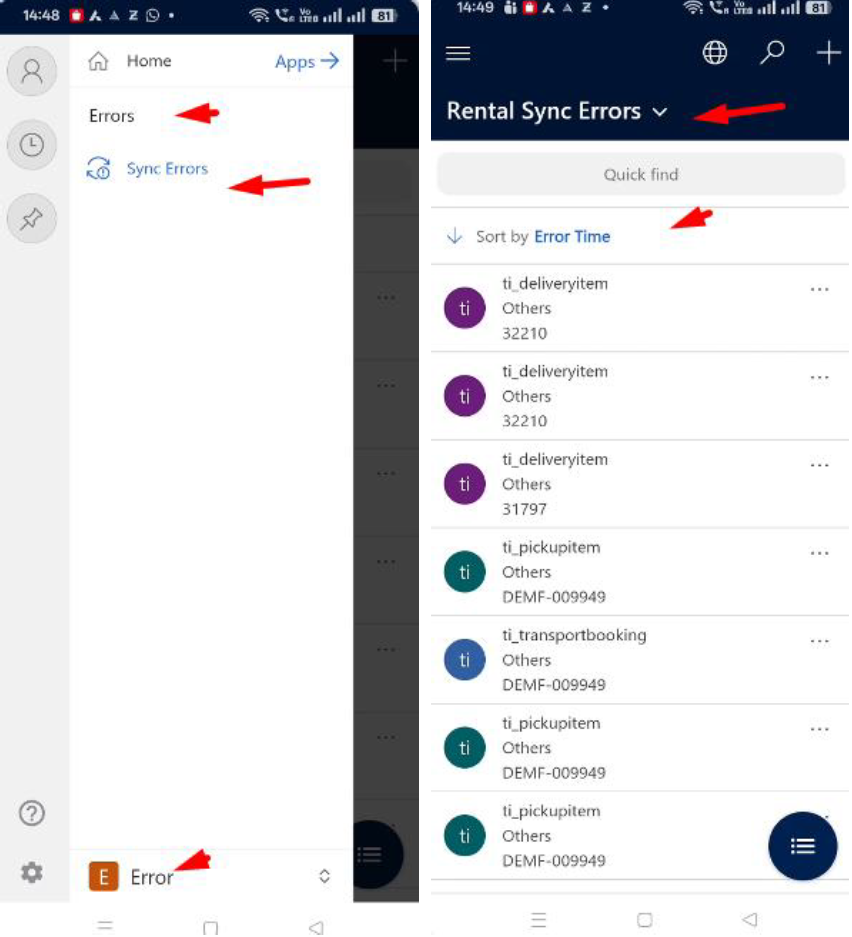
The "My Active Sync Errors" screen was available in the FS app but not in the Transportation app. Users faced difficulties in locating and resolving sync errors in the Transportation app.
Bug fixes in Release 1.0.0.77 (January 2026) of Rental Mobile Operations - Transportation app.
| Bug ID | Title | Description |
|---|---|---|
| 228100 | Field 'Notes' is not enabled on the Delivery/Pickup bookings | The field Notes are now accessible again on the Delivery/Pickup bookings in the Mobile transportation app. |
| 229232 | For devices with integrated barcode scanner. After scan and delivery/pickup of item - serial, the input is not cleared | Barcode input now clears after each scan, and the app opens the correct item for delivery/pickup. |
| 229376 | Wrong translation in Dutch for Skipping Signature | Dutch text for the signature option is corrected to “Handtekening overslaan” across the Transportation app. |
| 229810 | When selecting Delivery/Pickup item via "double click" the message Discard or Save changes appears | Double-clicking a Delivery/Pickup item no longer triggers a Save/Discard prompt. |
| 229835 | After clicking Confirm button on summary screen, message about Discard changes/Keep editing appears | Confirm button on the summary screen completes without a Discard/Keep editing buttons appearing. |
| 231736 | After scanning items (Delivery & Return bookings) and marking them as Delivered/Returned/Skipped the message about Unsaved changes pops up | Marking lines Delivered/Returned/Skipped no longer shows an 'Unsaved changes' banner. |
| 231814 | Wrong Delivered/Collected Qty is showing after opening and exiting the item line in the booking | Instead of showing the Delivered Quantity on the delivery items and Quantity Collected at the return items, we now display the fields Quantity to Deliver or Quantity to return. |
| 231853 | The label "Available Quantity" should be changed to "Quantity to deliver" | Label updated from 'Available Quantity' to 'Quantity to deliver' on the delivery screen. |
| 233354 | When open Delivery/Pickup item screen the message Save/Discard message appears | Opening the item screen no longer shows a Save/Discard banner. |
Known issues in Release 1.0.0.77 (January 2026) of Rental Mobile Operations - Transportation app.
Microsoft is investing heavily in Dual-Write as synchronization tool, it is Microsoft's advice to use Dual-Write. Dual-Write is a near real-time (1-10 seconds) solution, however Dual-Write can still be "slow" as some synchronizations take a minimum of 5 seconds, which can't be made faster.
Also Dual-Write has its limitations, known issues and unsupported features which are described in the Mapping Concept pages of Dual-Write, see the Dual-write home page.
The Rental Mobile Operations – Apps applications use standard Microsoft technology to synchronize, this technology makes every 5 minutes a synchronization based on the found delta in data.
In the Rental Mobile Operations - Apps applications are a lot of standard available Microsoft features visible, this does not mean that we support them. It could be that this feature is not working in relation with the application or is not working at all. In the User Guide is written down which standard Microsoft features are supported by the application.
The Rental Mobile Operations - Apps application are based on offline-first features from Microsoft for model-driven Power Apps applications. However, this will not say that the application will support all features in offline mode. In the User Guide is described which features are supported in offline mode. In addition, it could be that some standard Microsoft features do not work in offline mode, where known, attempts will be made to indicate this in the User Guide.
